
Widget Notifications
Choose who gets emailed when a visitor submits a quote request or finishes an analysis in your Widget, and how address verification works.
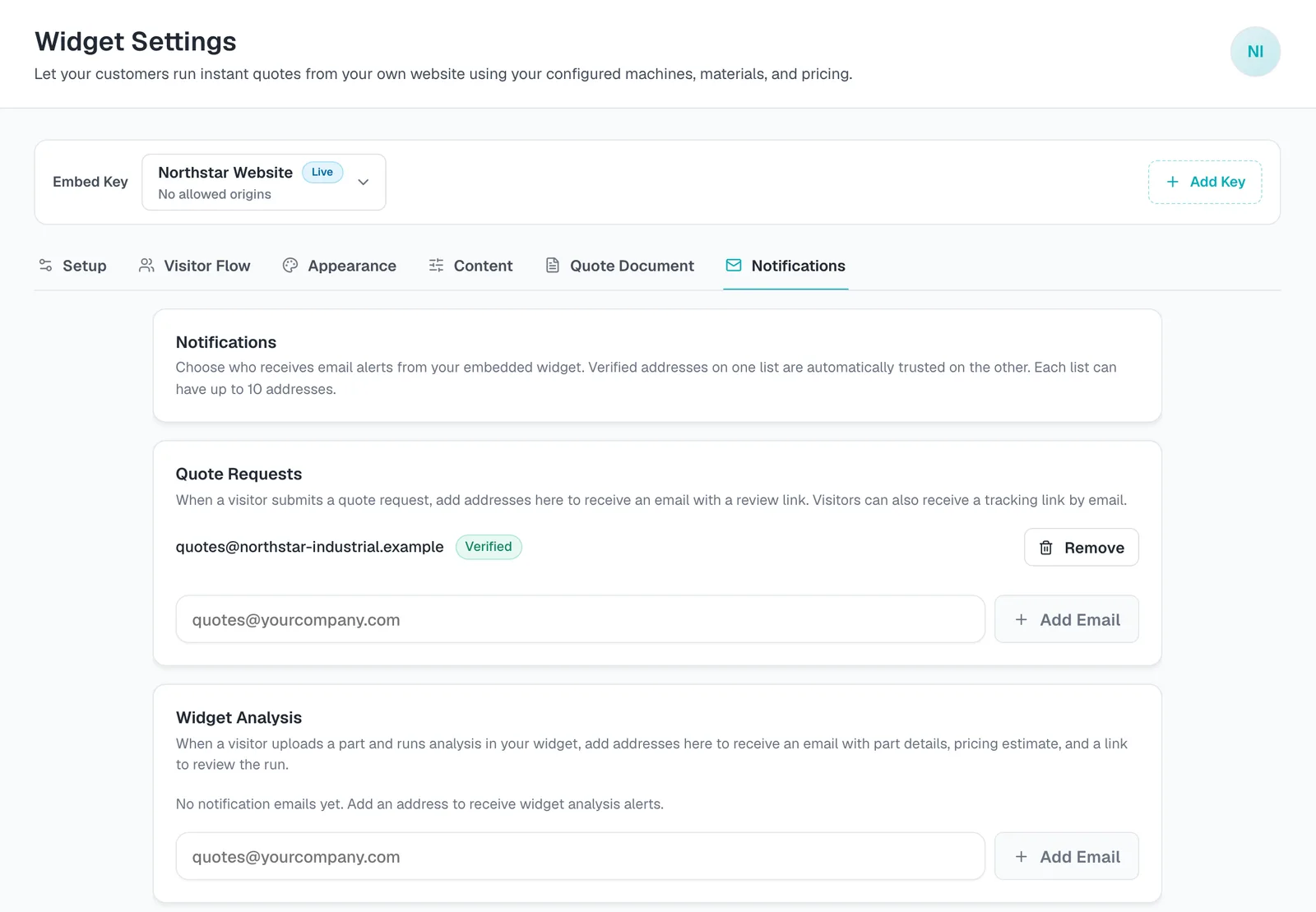
The Notifications tab decides who receives email alerts from your embedded Widget. There are two lists, one for quote requests and one for completed analyses. Verified addresses on one list are automatically trusted on the other. Open it from Widget, Notifications.
Both lists save immediately. They do not need Save Changes.
How the Lists Work#
Each list holds up to 10 addresses. Duplicates are ignored, whatever the capitalization.
To add an address, type it (for example quotes@yourcompany.com) and click Add Email. Quote will tell you if the address is not valid ("Enter a valid email address") or already listed ("This email is already on the list.").
Each row shows one of these statuses: Verification Required, Pending Verification or Verified. Use Send Verification or Resend Verification, or Remove (which asks "Remove this email from notification recipients?").
Verification#
Only verified addresses receive mail. The person clicks the link in the verification email, and the page updates by itself ("Waiting for confirmation. This page updates automatically.").
- The link is valid for 7 days by default.
- A single address can be sent at most 3 verification emails per hour.
- If the same address is already verified on the other list, it is trusted on this list right away.
Note: If verified addresses never receive any mail, contact support. Email delivery needs to be set up on the platform.
Quote Requests List#
When a visitor submits a quote request, add addresses here to receive an email with a review link. Visitors can also receive a tracking link by email. This list only matters when the Quote Workspace is on (see Visitor Flow).
When a request is submitted:
- The request is always saved in your Quotes list and you get an in-app notification, whatever this list contains. A banner reminds you: "Quote request emails are only sent to verified addresses. The dashboard always receives new requests."
- Verified recipients get an email titled "New Quote Request for (your shop) - (number)" with the customer's details, parts, total, shipping and a review link. Replying goes to the customer's email.
- The visitor, if they gave an email, gets "We received your quote request" with a link to view it.
- The request counts toward your billable Widget quotes.
Change it when: always put your estimator or sales inbox here.
Widget Analysis List#
When a visitor uploads a part and runs analysis, add addresses here to receive an email with part details, a price estimate and a link to review the run.
When an analysis finishes successfully, verified recipients get an email titled "New Widget Analysis for (your shop) - (file name)". It includes material, machine, quantity, finishes, unit and total price (including any regional adjustment), the visitor's contact details if collected, and the country and website the visit came from. Replying goes to the visitor's email when known.
Warning: This is one email per completed analysis, sent to everyone on the list. A busy website or automated bots can flood inboxes. Do not assume a cap protects you. Use a shared mailbox with a filter, or leave the list empty and review the Widget Analysis history instead.
Change it when: use it for a short time while you tune the Widget, or only for key salespeople.
Related Pages#
Last updated