
Surface Roughness
Set how much each Ra finish lengthens cutting time, and choose the default finish Quote assumes when a customer does not pick one.
On this page
Each Ra option scales the cutting time. Ra is the average roughness of a surface in micrometres, so a lower number means a smoother finish and slower cutting. Rapids, tool changes and setup are not affected. You open this tab to make fine finishes cost what they really take on your machines.
Open it from the Pricing page, sixth tab, Surface Roughness.
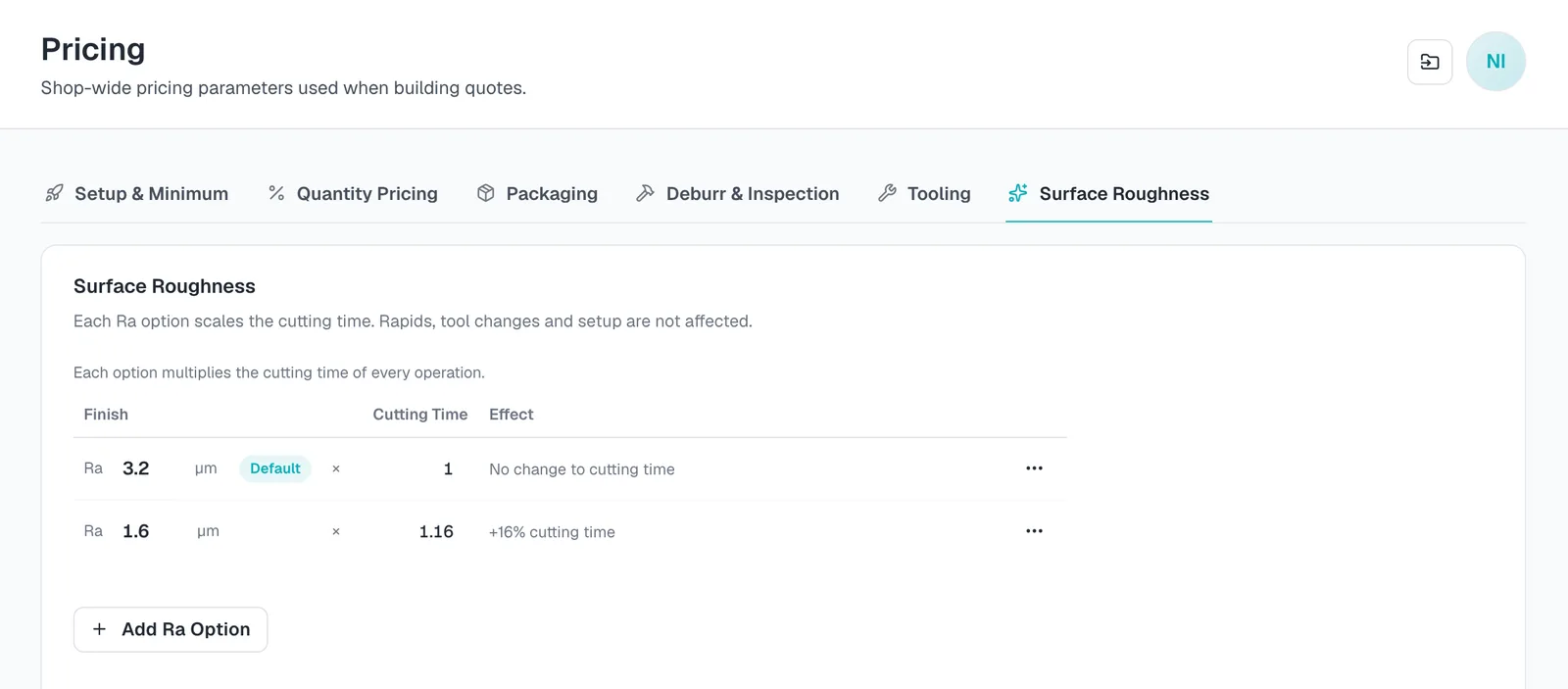
Ra Options#
Where: Pricing, Surface Roughness.
Each row has a Finish (the Ra label), a Cutting Time multiplier, and an Effect column that shows the change as "+x%" or "-x%" cutting time. A Default badge marks the default row, Make Default sets it, and Add Ra Option adds a row.
| Finish | Cutting Time multiplier |
|---|---|
| Ra 3.2 (default) | 1.0 |
| Ra 1.6 | 1.16 |
| Ra 6.3 | 0.9 |
| Ra 0.8 | 1.5 |
| Ra 0.4 | 2.0 |
New shops start with Ra 3.2 and Ra 1.6. The other three values are Quote's built-in values for those finishes if you add them.
Rules: you need at least one option, every option needs a label, ids must be unique, and every multiplier must be above 0.
Cutting Time Multiplier#
Unit: multiplier on cutting time. Starting value: 1.0 for Ra 3.2, 1.16 for Ra 1.6. Where: Pricing, Surface Roughness.
The multiplier scales the cutting time of all milling operations. On turning, only the finishing passes are scaled. The scaled time goes through the machine hourly rate, so markup applies on top.
A multiplier of 1.5 means 50% longer cutting. Because rapids, tool changes and setup do not change, the real cost increase is smaller than the multiplier on parts that are mostly non-cutting time.
Example: a part with 10 cutting minutes at Ra 3.2 takes 15 cutting minutes at Ra 0.8 (multiplier 1.5). With 5 minutes of rapids and tool changes, the total goes from 15 to 20 minutes, which is 33% more, not 50%.
Change it when: measure a few real jobs at each finish and set the multiplier from what you see. Do not guess it.
Default Finish#
Where: Pricing, Surface Roughness, Make Default button.
Quotes use this finish unless the customer picks another. Choose the finish most of your parts are made to.
Watch out: the default decides the price of every quote where the customer does not choose a finish, so changing it moves prices across the board.
Related Pages#
Last updated