
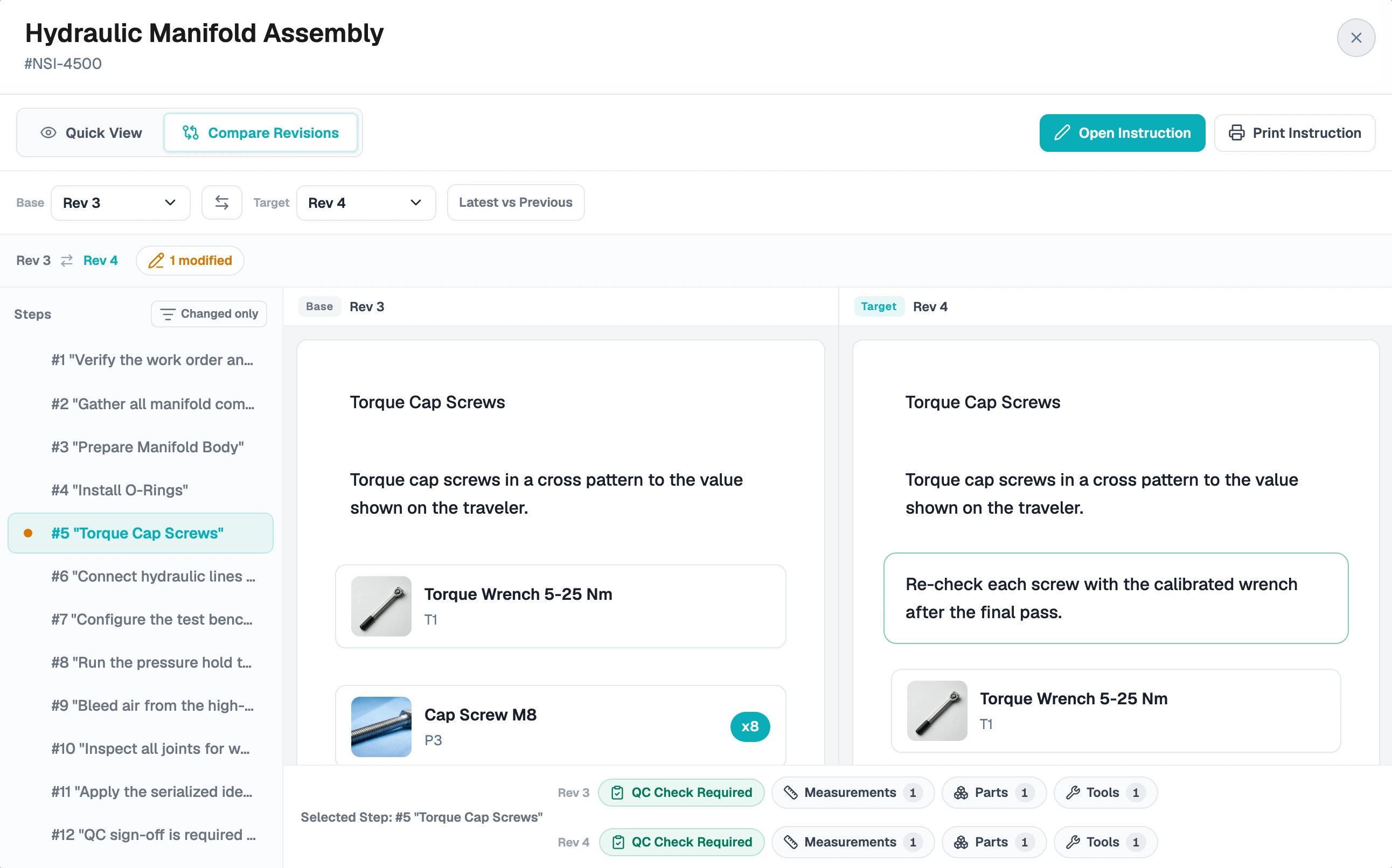
Engineering Changes a Part
BeforeThe binder stays out of date until someone reprints it.
With TraceEvery operator sees the new revision the moment you publish.
Serial SN-0203 In Progress
Step 4 of 12
Torque Check Pass
45.2 Nm
Parts Recorded
Trace replaces printed work instructions with digital guides and live shop-floor execution. Every measurement, QC check, and remark is recorded against the serial number and step, so when something goes wrong you can trace it to the cause.
No IT project required. Start with one instruction and one production line.
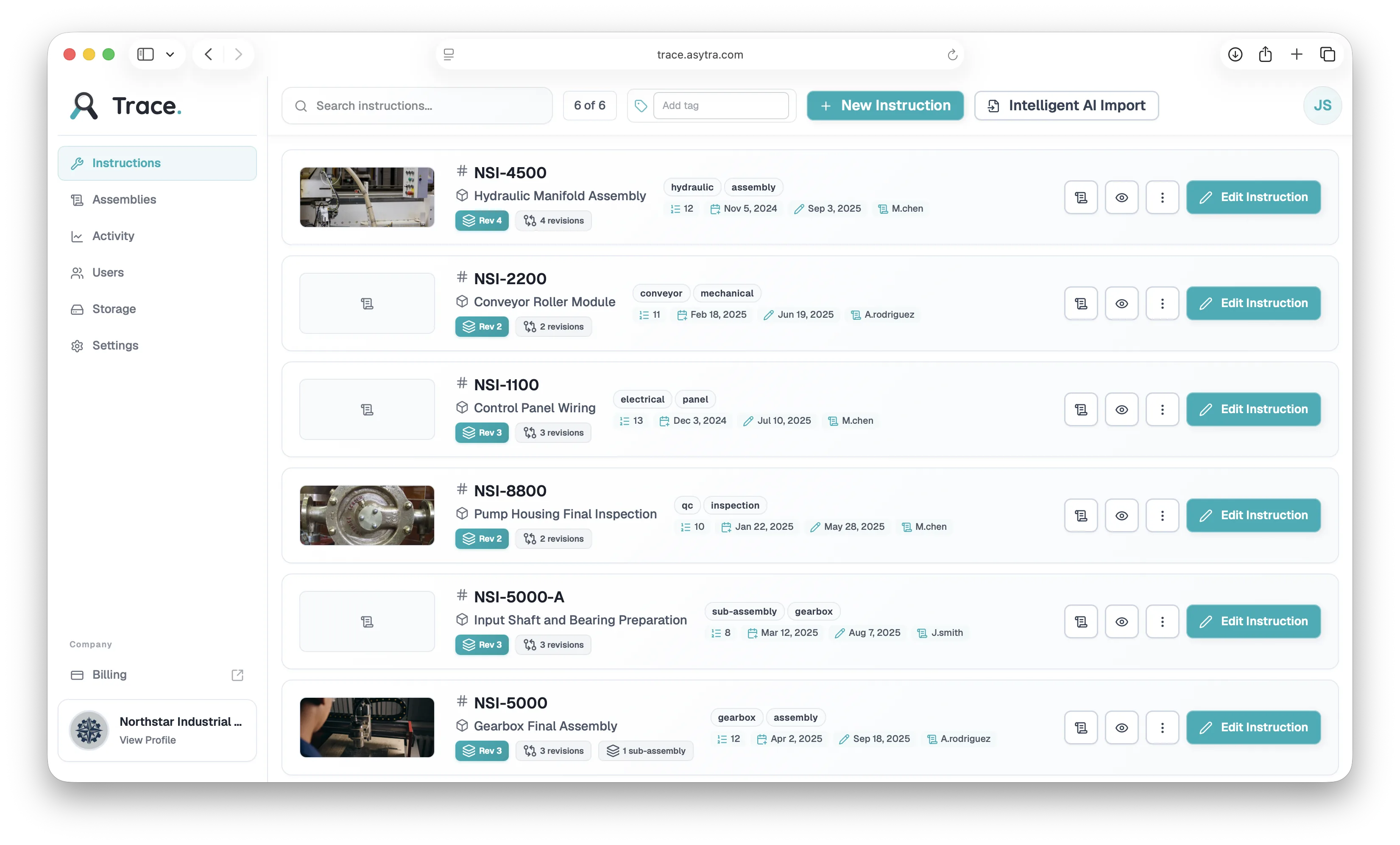
Your whole instruction library in one place, with product photos, revisions, and tags, so operators always run the approved version.
Four moments where paper lets you down, and what changes with Trace.
BeforeThe binder stays out of date until someone reprints it.
With TraceEvery operator sees the new revision the moment you publish.
BeforeNobody can say which step or operator it came from.
With TraceTrace it to the exact step, measurement, and operator in seconds.
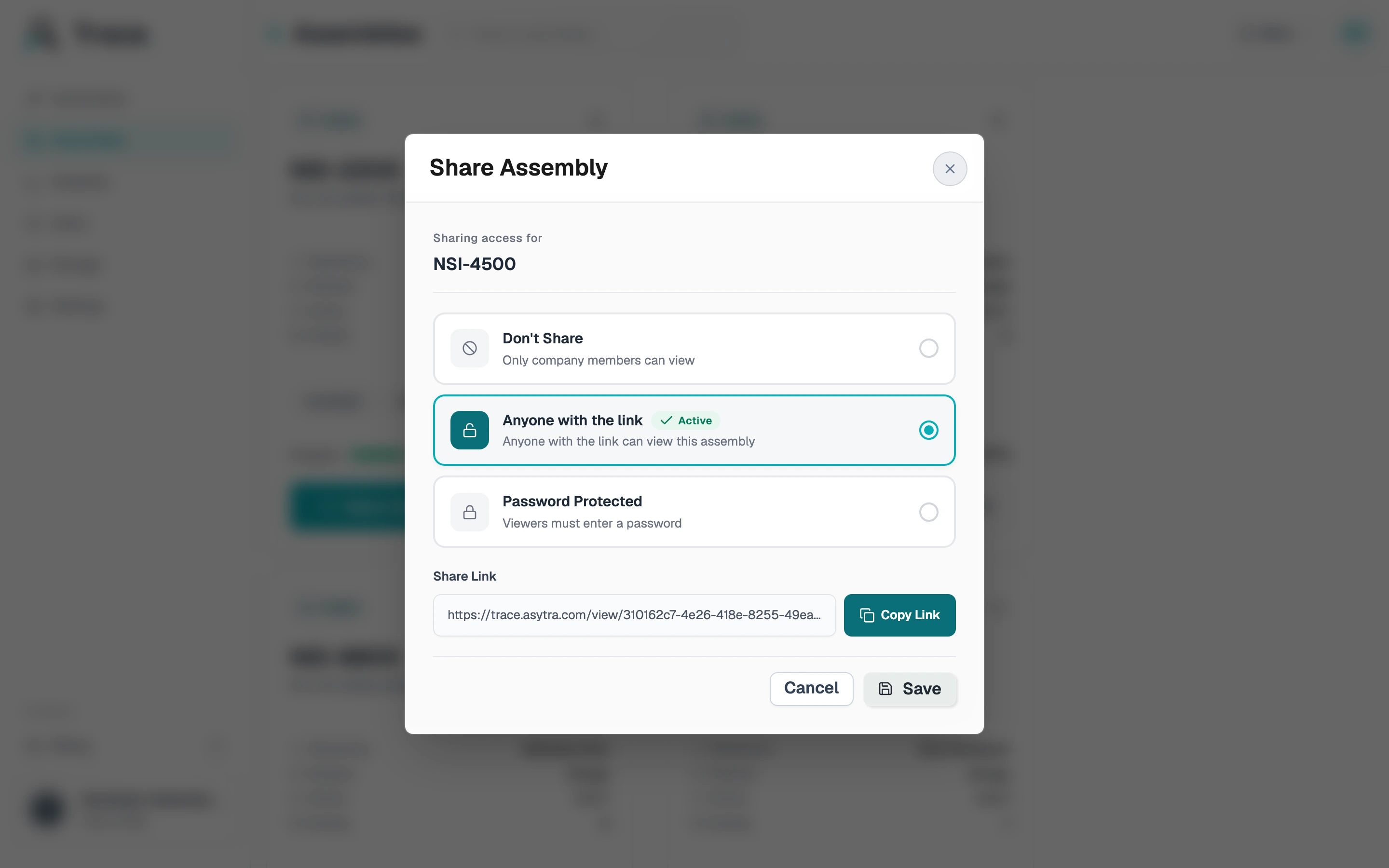
BeforeEmails and phone calls to the shop floor.
With TraceThey follow it live through a share link.
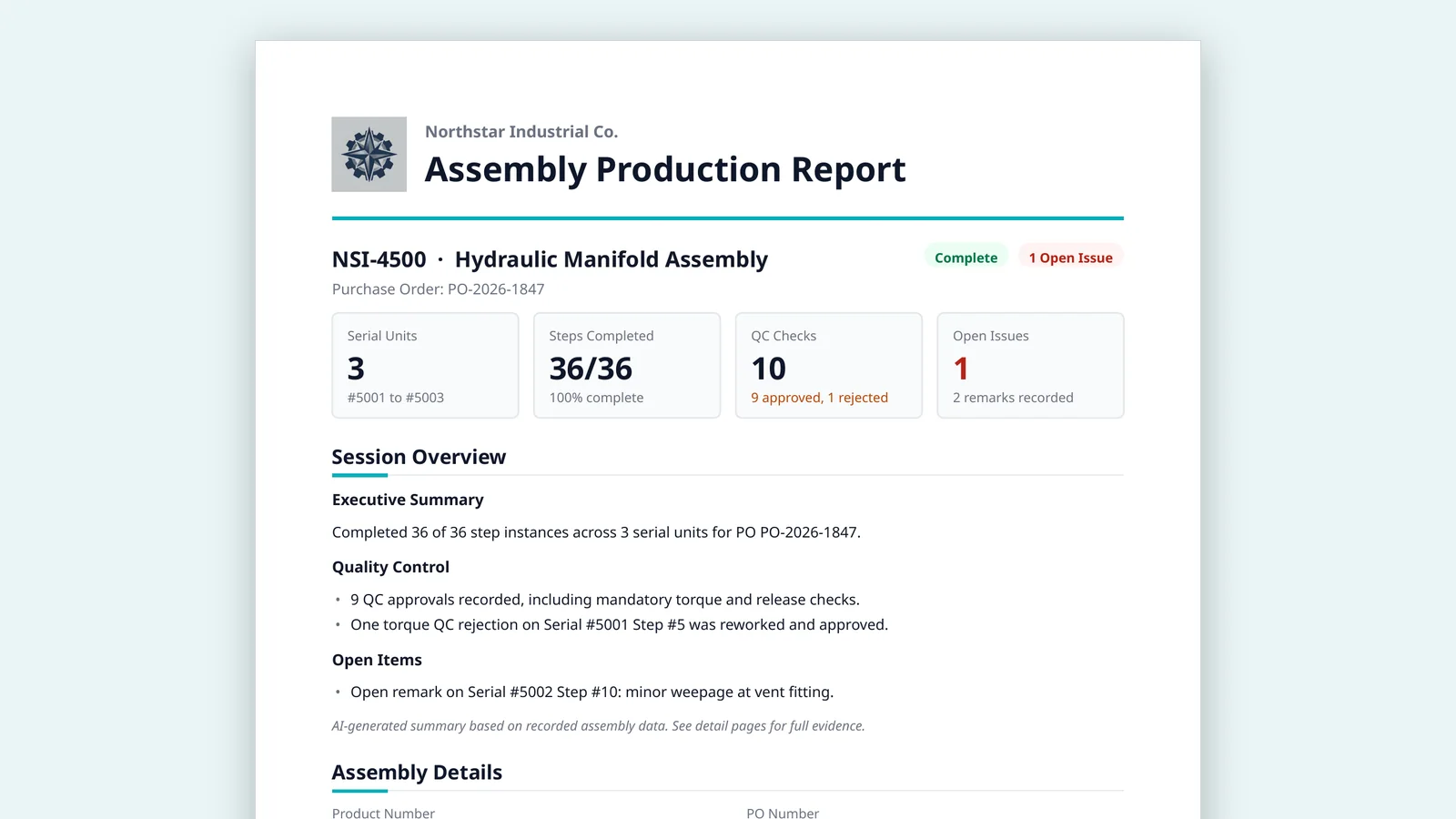
BeforeDays digging through files and forms.
With TraceExport a PDF or Excel build record in minutes.
Quality Checking
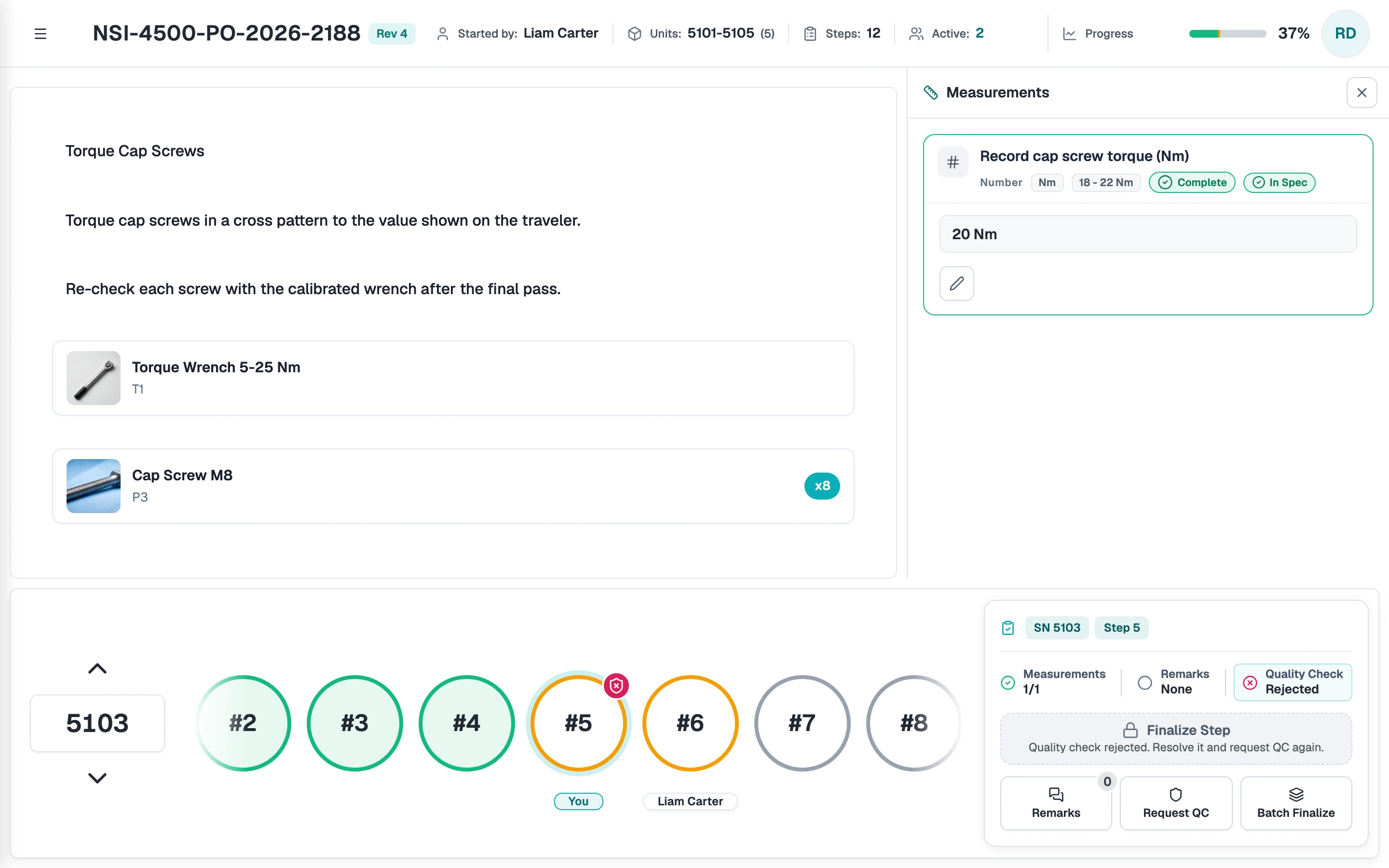
Required measurements, manual QC, and random spot checks gate each step. A step cannot be finalized until its checks pass, and every result is signed and stored with the serial number.
Operators enter each required value, and Trace marks it In Spec or out of spec against the range you set.

A certified checker approves or rejects the step. Rejections need a reason and block the step until it is redone.
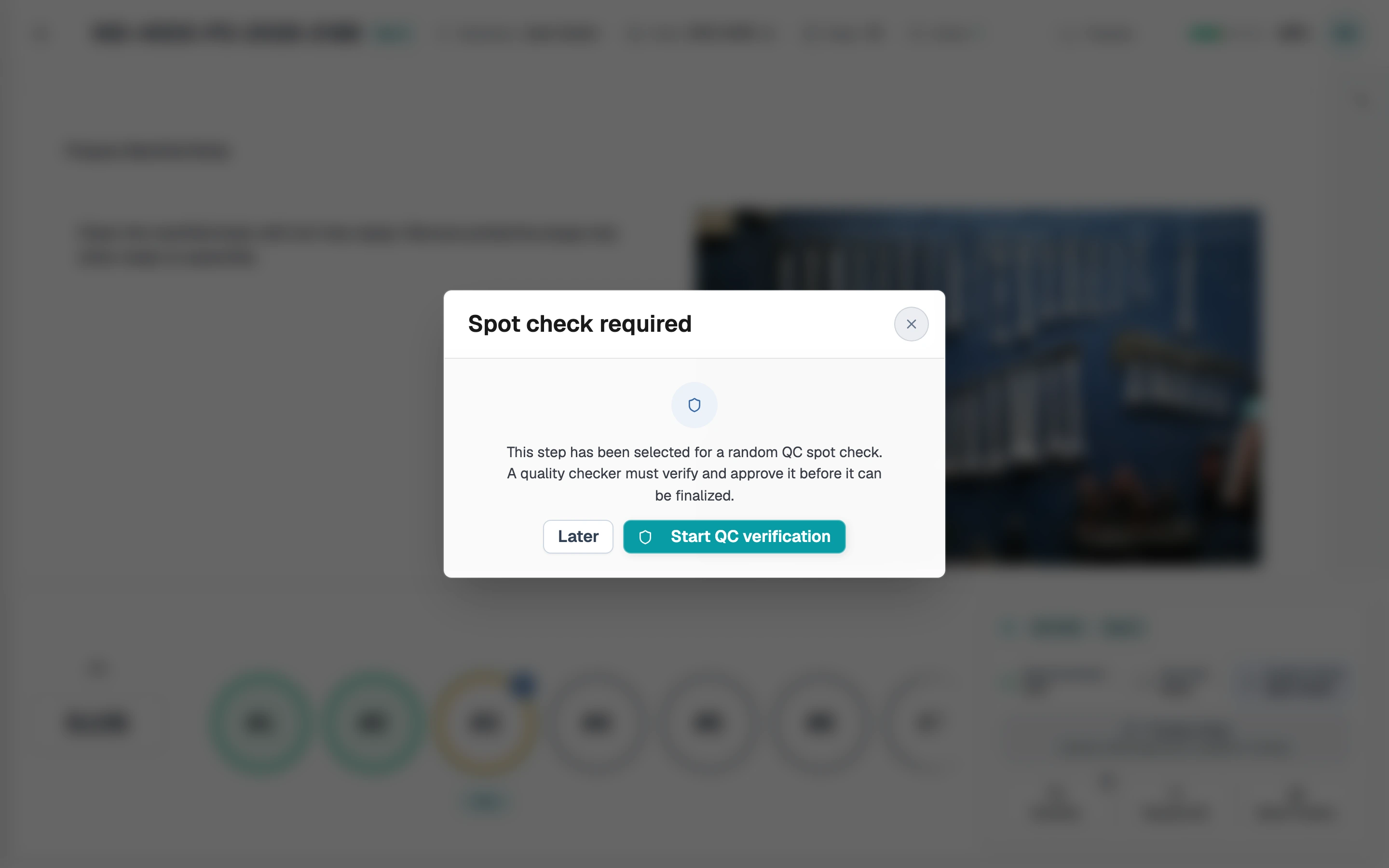
Sample a share of steps at random, so a rushed step is just as likely to be verified as any other.
Error Tracking
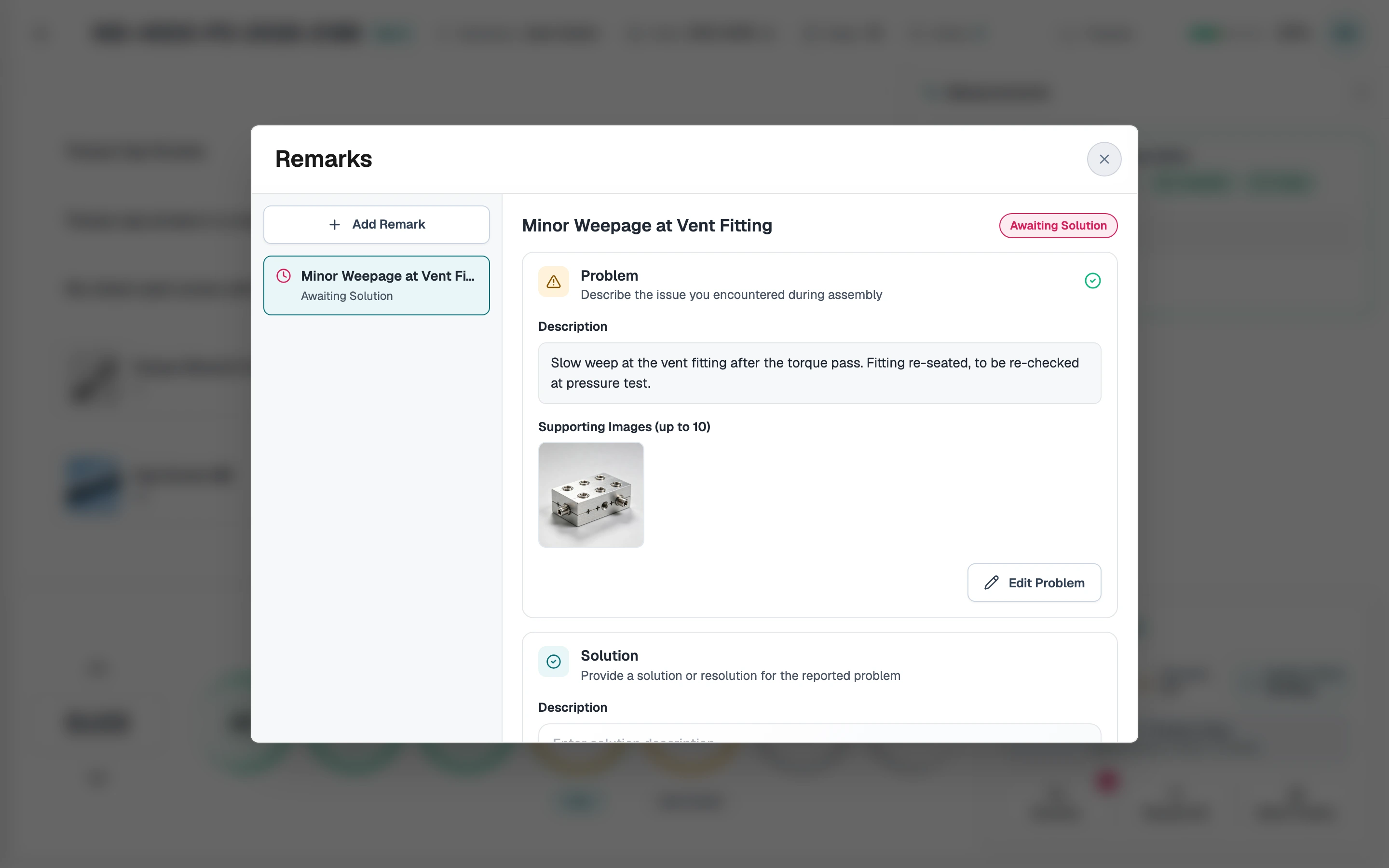
When an operator hits a problem, they log it on the step with a description and photos. Remarks and the fix stay with the serial number, so the next shift sees what happened and you can see how long it stayed open.
Digital Instructions
Build version-controlled work instructions with text, images, and measurements. Link each part and tool to the step that uses it, and see exactly what changed before you publish.
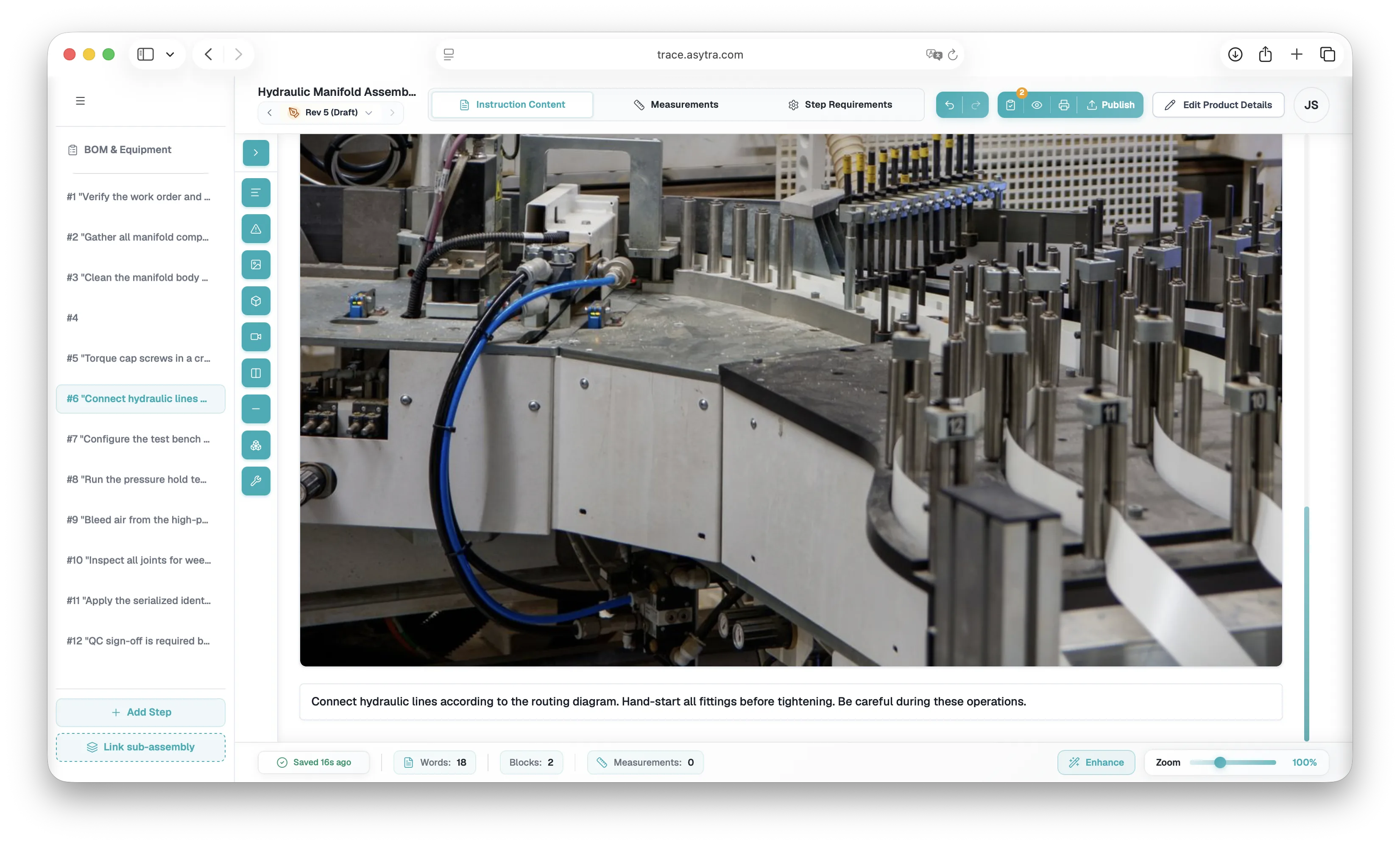
Traceability
Trace keeps a complete history for every serial number. Each check, measurement, issue, and sign-off is linked to the step and the operator who recorded it, so you can audit a unit or answer a customer question without digging through files.
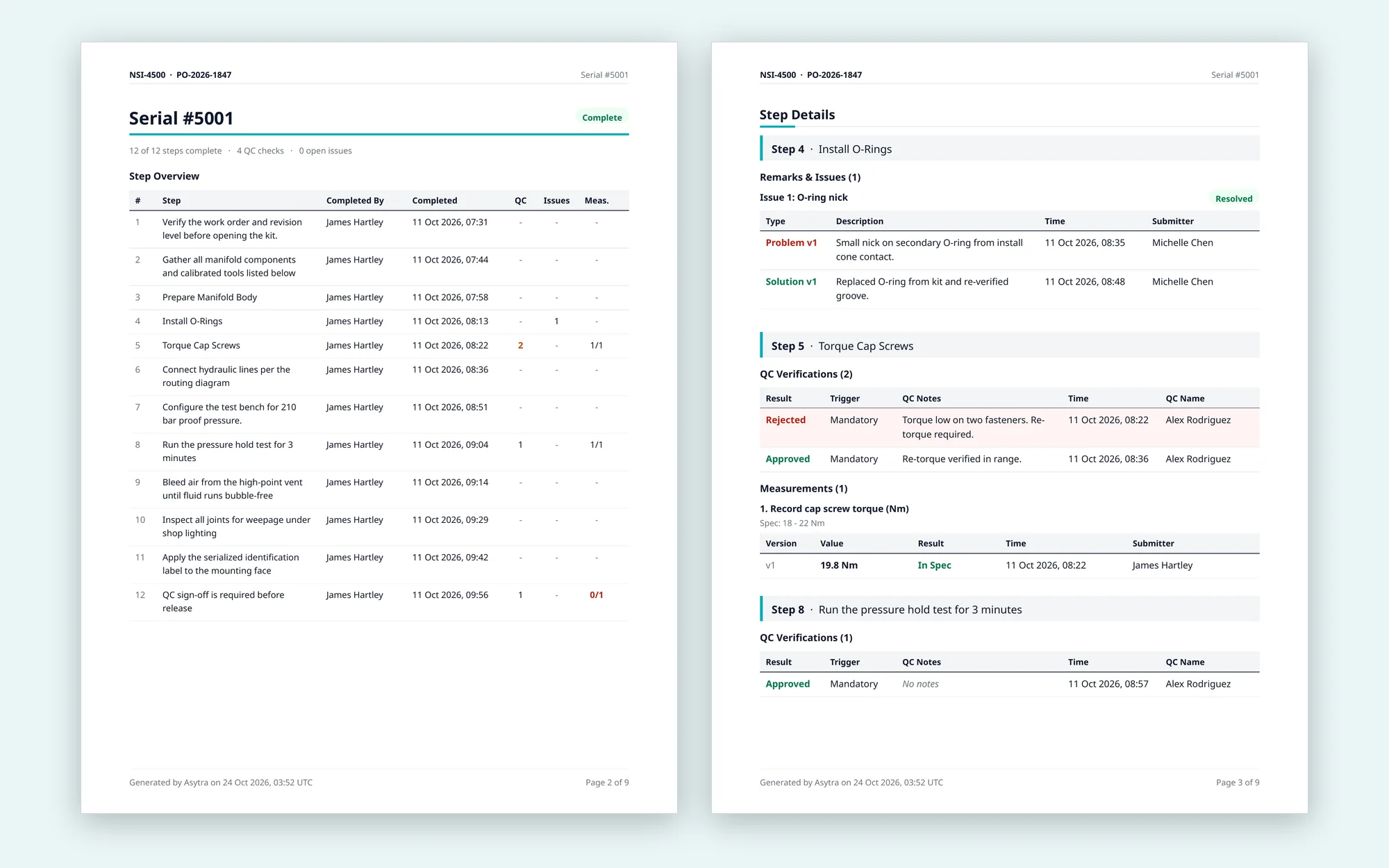
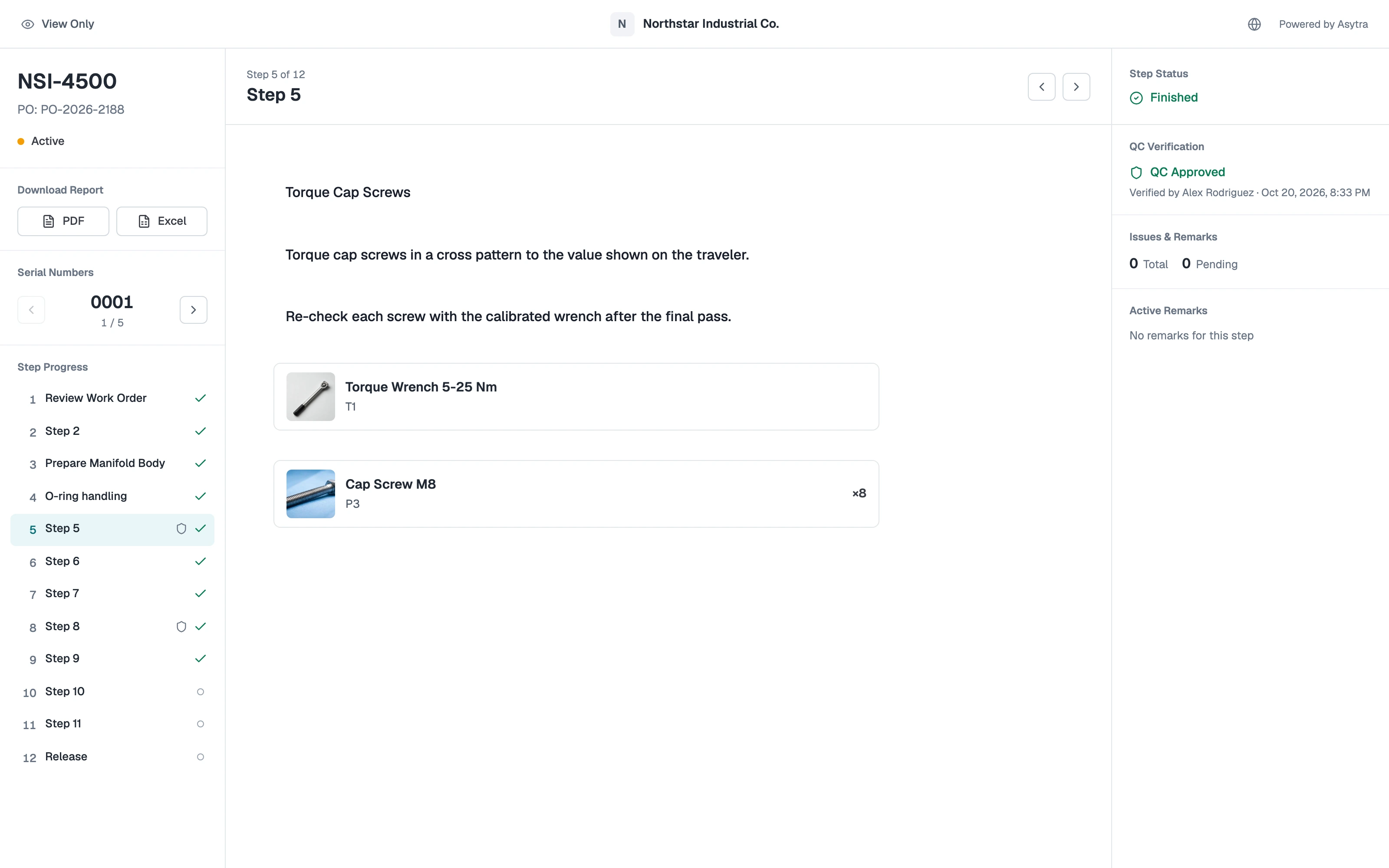
Assembly Sharing
Share any assembly with a link. Your customer sees each serial number, its step progress, QC results, and remarks as they happen, so nobody has to call for a status update.
Browse real product screens by workflow area. Pick a tab, then click a thumbnail to see related capabilities.
Replace paper binders with a searchable library. Each product gets version-controlled steps, BOM lines, and rich media.
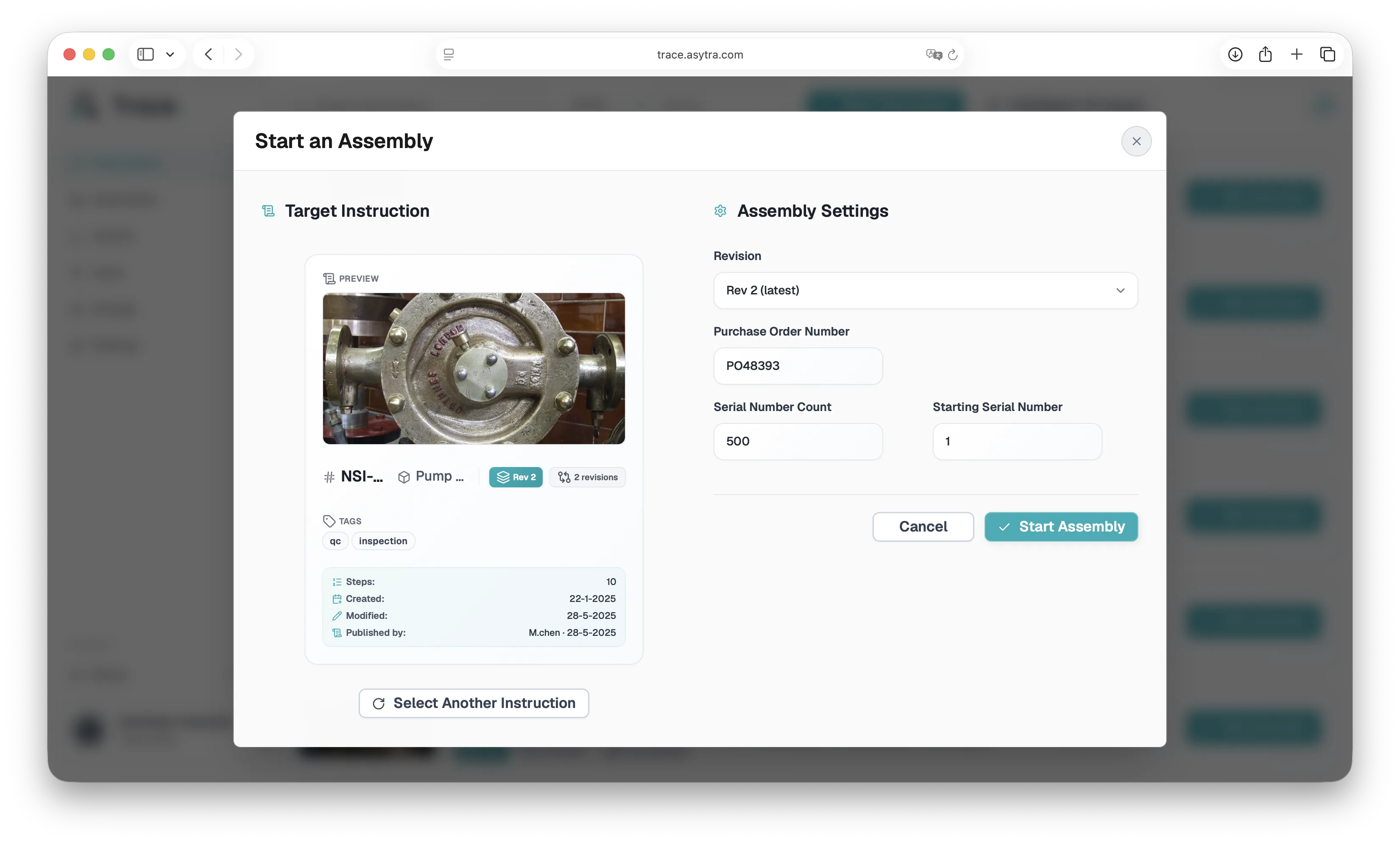
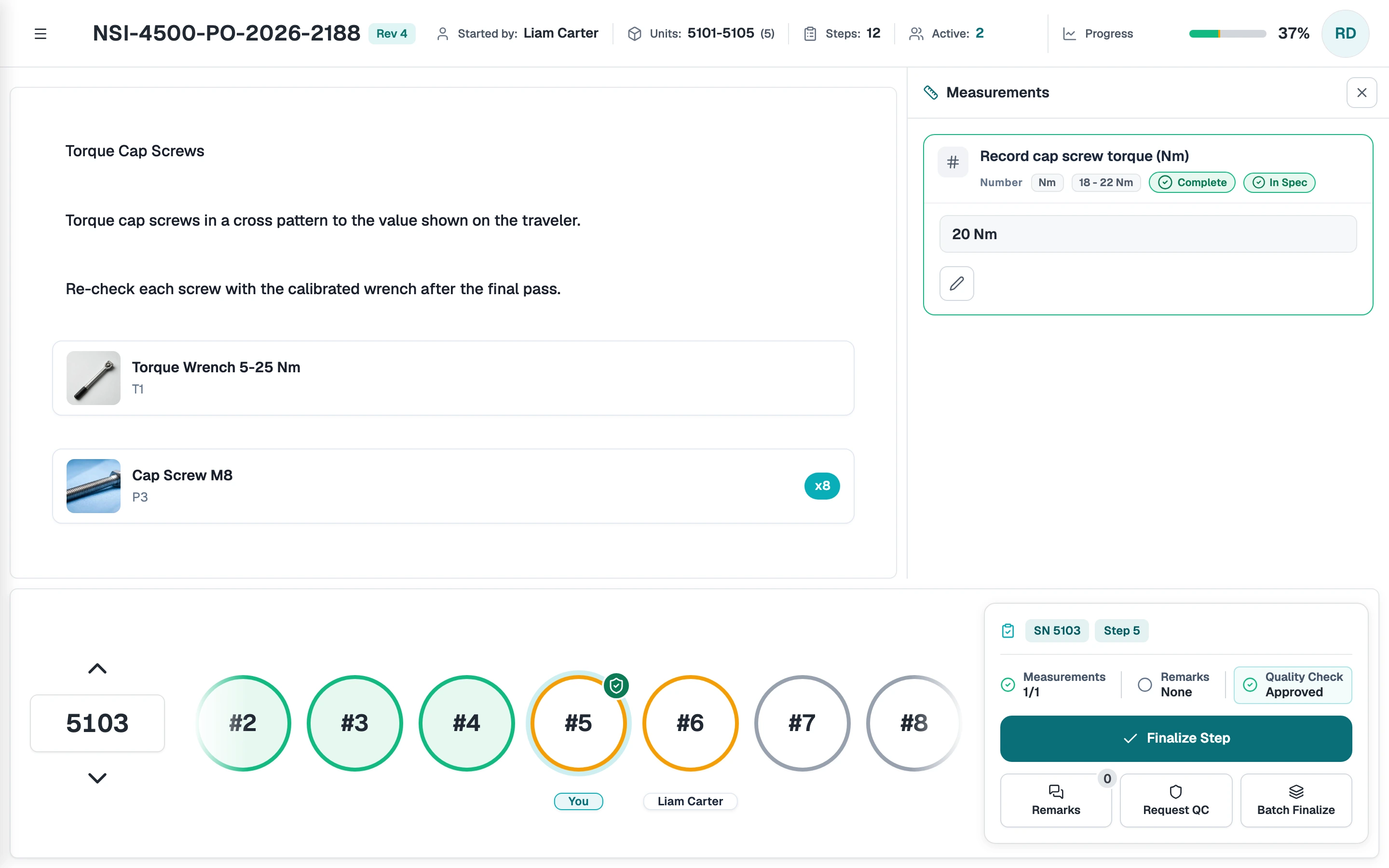
Turn a published instruction into a live job. Track every serial in the batch from one dashboard.
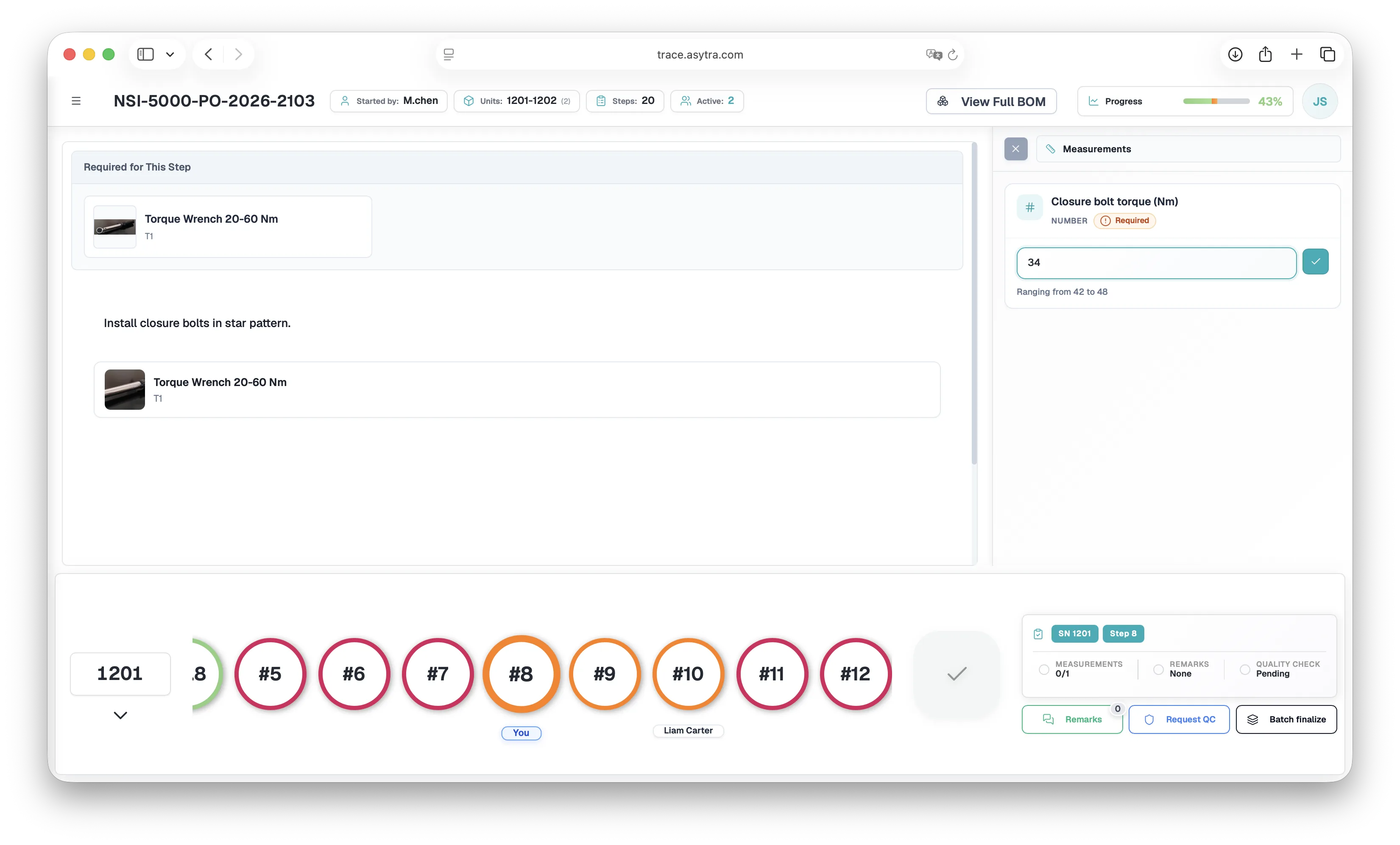
Operators follow instructions on screen, record torque and other measurements, and hand off steps without losing context.
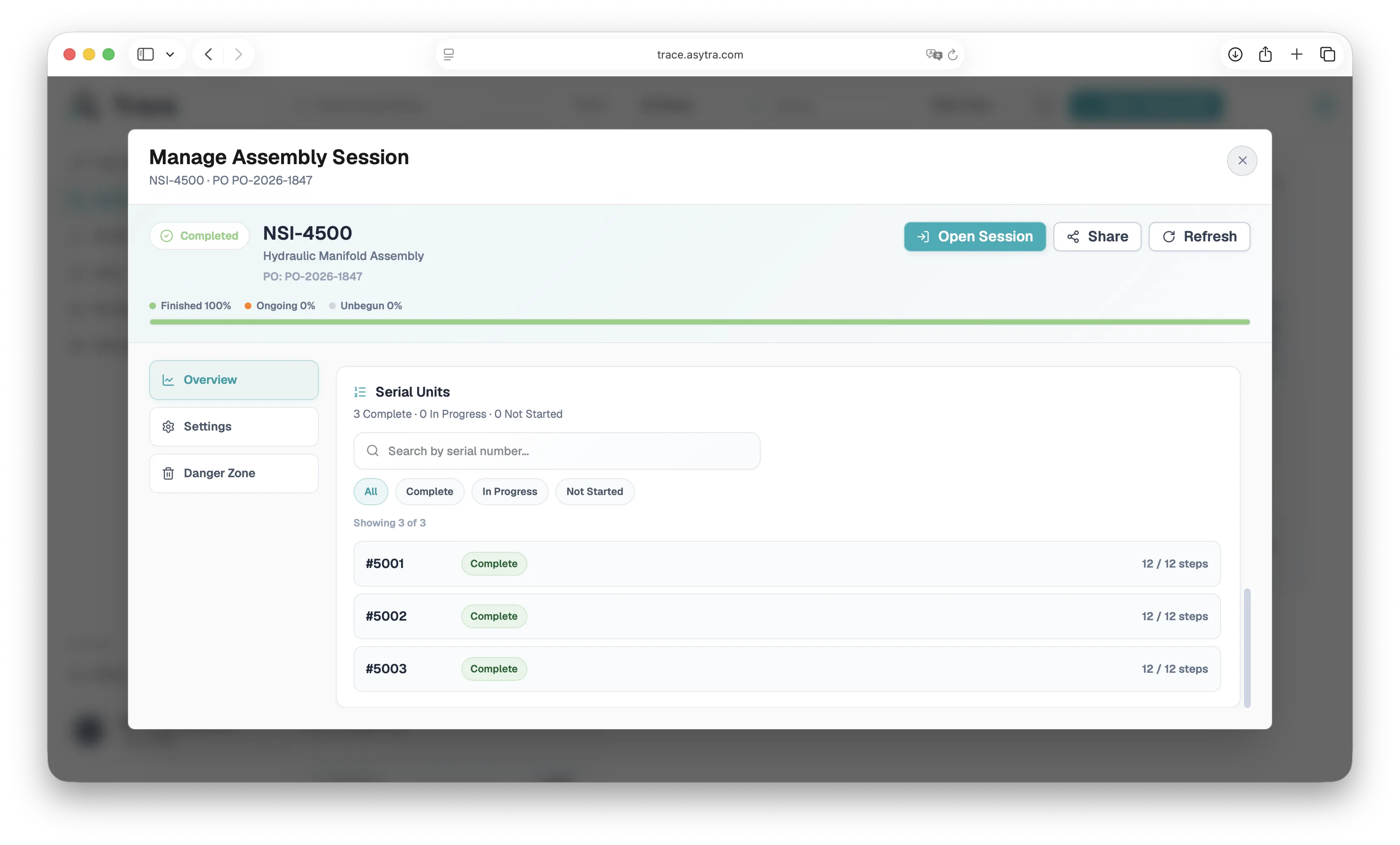
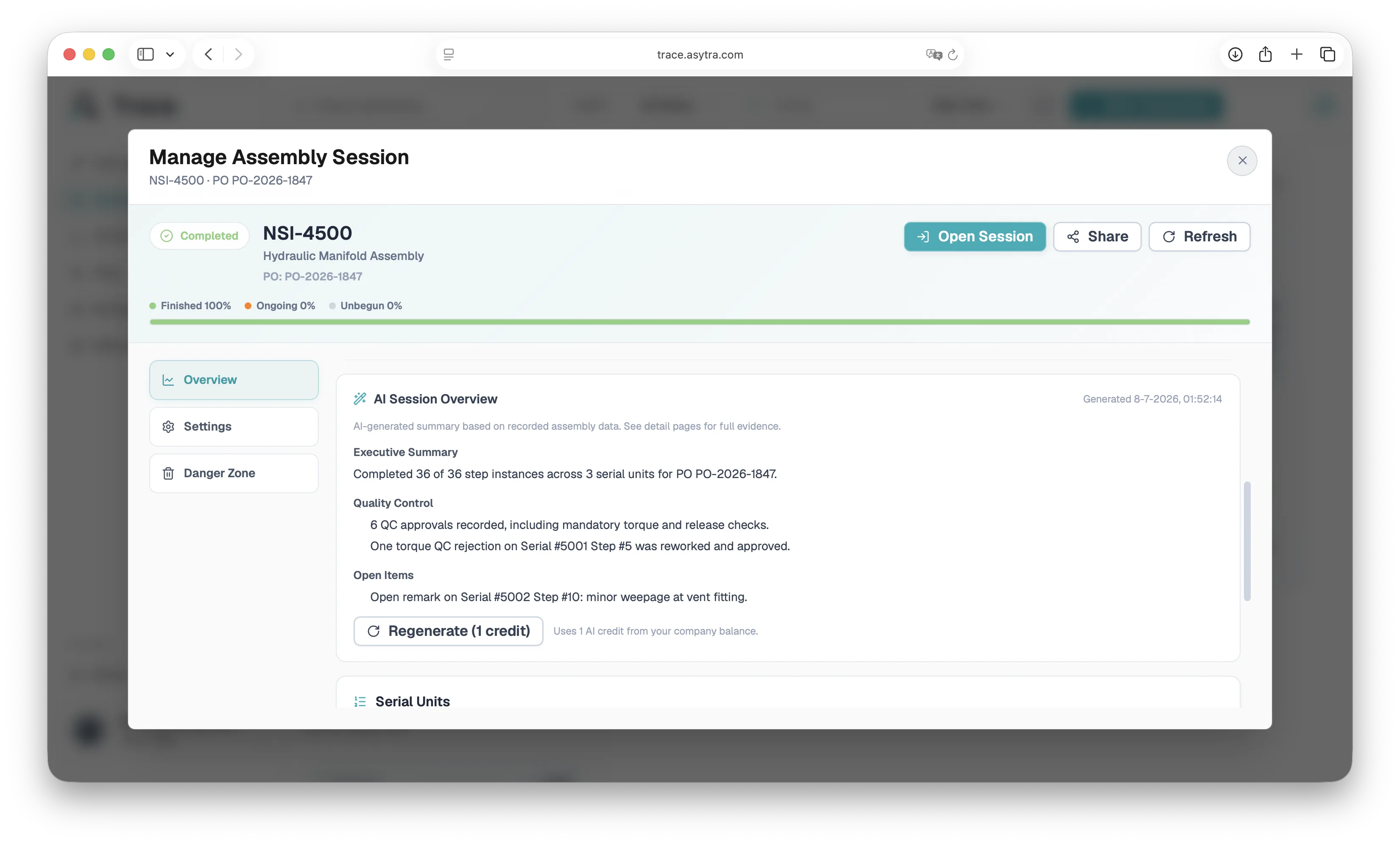
Production managers get session overviews, AI summaries, and exportable records for customers and auditors.
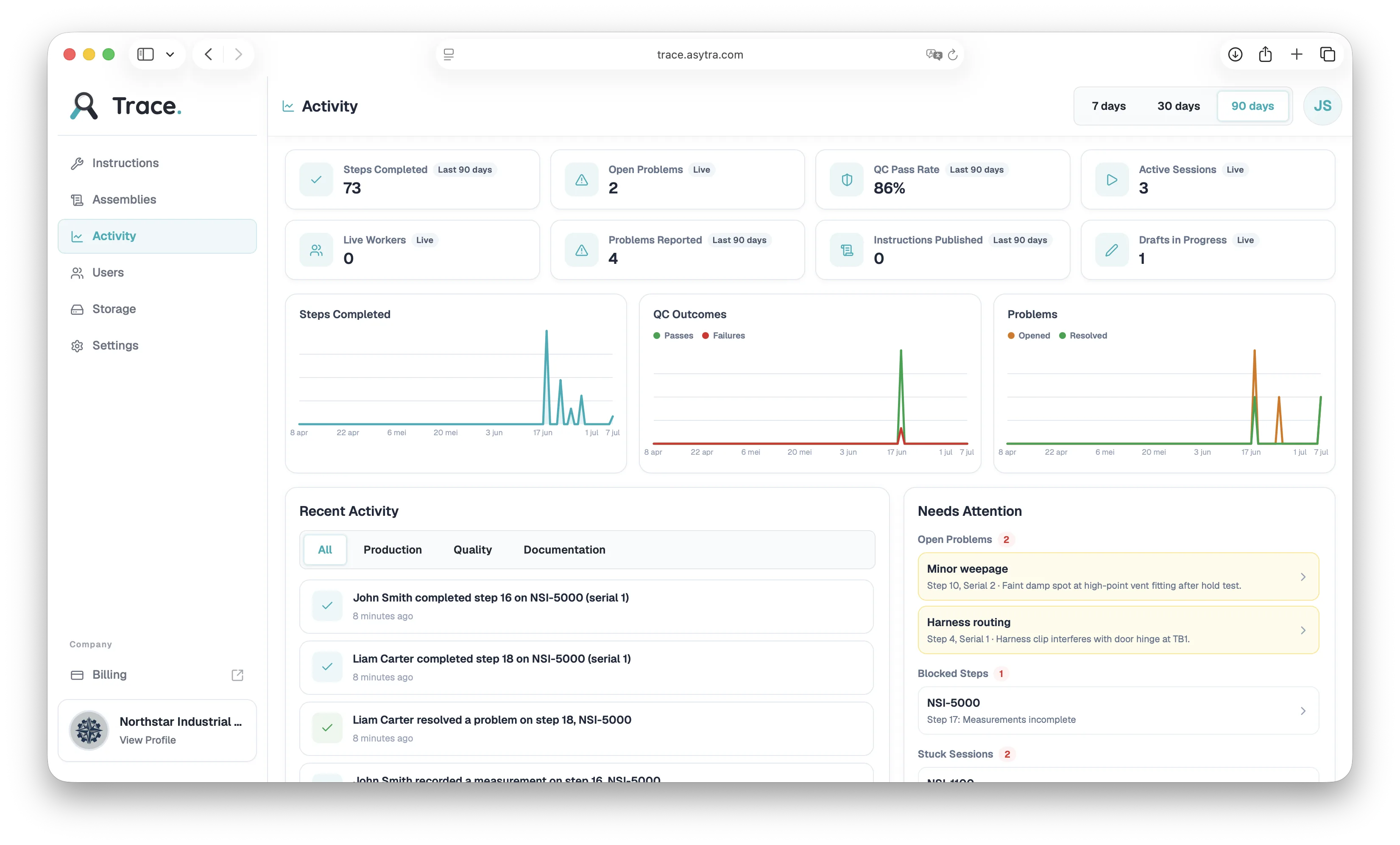
Admins manage users and roles, monitor live production health, and keep media organized per instruction.
Screenshots from the Trace app. Documentation covers setup, roles, and publishing workflow.
Paper to Trace
Drop in the manual you already have. Trace turns it into steps with images, parts, callouts, and measurements.
2. Clean manifold body NSI-4500-01 with a lint-free wipe and inspect all six ports for burrs or machining debris (Figure 1); do not continue if a port is damaged. Fit one O-ring OR-014-70 into the groove of each of the six ports using the plastic pick, never a steel scribe. The ring must sit flat and fully in the groove with no twist (Figure 2).
3. Thread a port fitting NSI-4500-02 into each port by hand until it seats, then tighten the six fittings in the order 1-4-2-5-3-6 shown in Figure 3 using torque wrench T1 set to 35 Nm +/- 3 Nm. WARNING: never exceed 38 Nm, over-torque cracks the manifold body. Mark each fitting with a paint pen after torquing and do not re-torque a marked fitting.
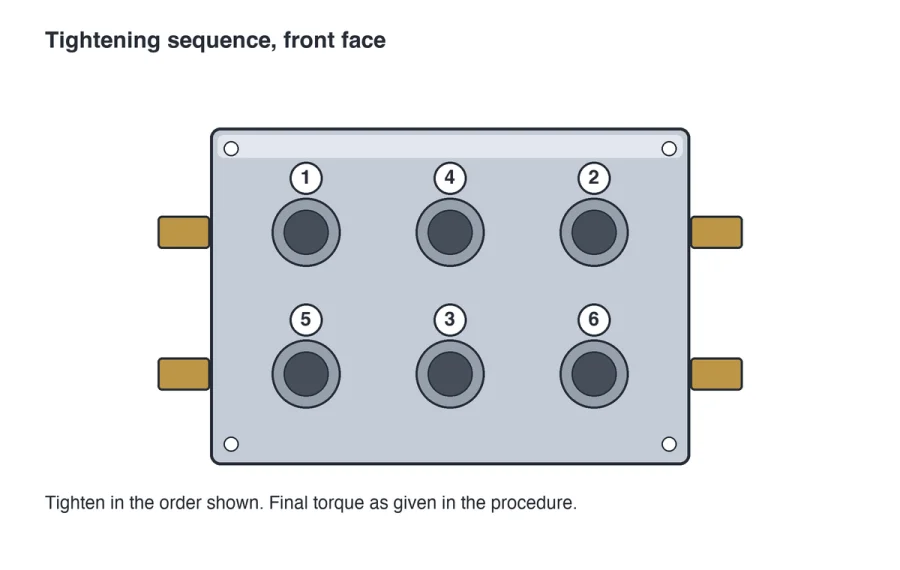
Figure 3. Tightening sequence, front face.
4. Install bleed screw NSI-4500-05 into the top face and tighten to 8 Nm +/- 1 Nm, then apply serial number label LBL-4500 to the right side of the body, clear of the side fittings, and record the serial number on the traveller.
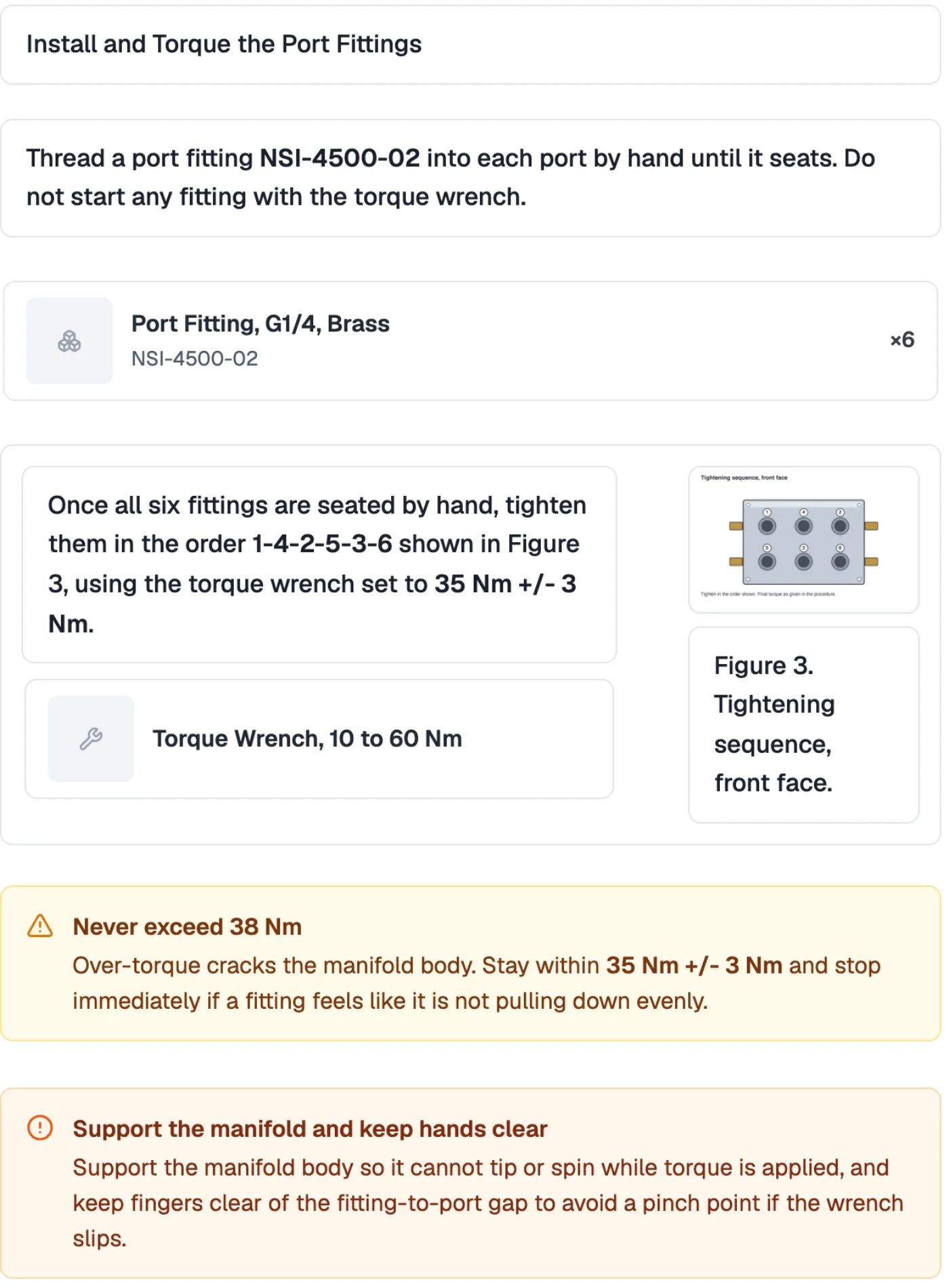
Sample manual for the fictional Northstar Industrial Co., imported in about half a minute. Results vary with your document, and every step stays editable until you publish. See how AI import works.
Trace AI
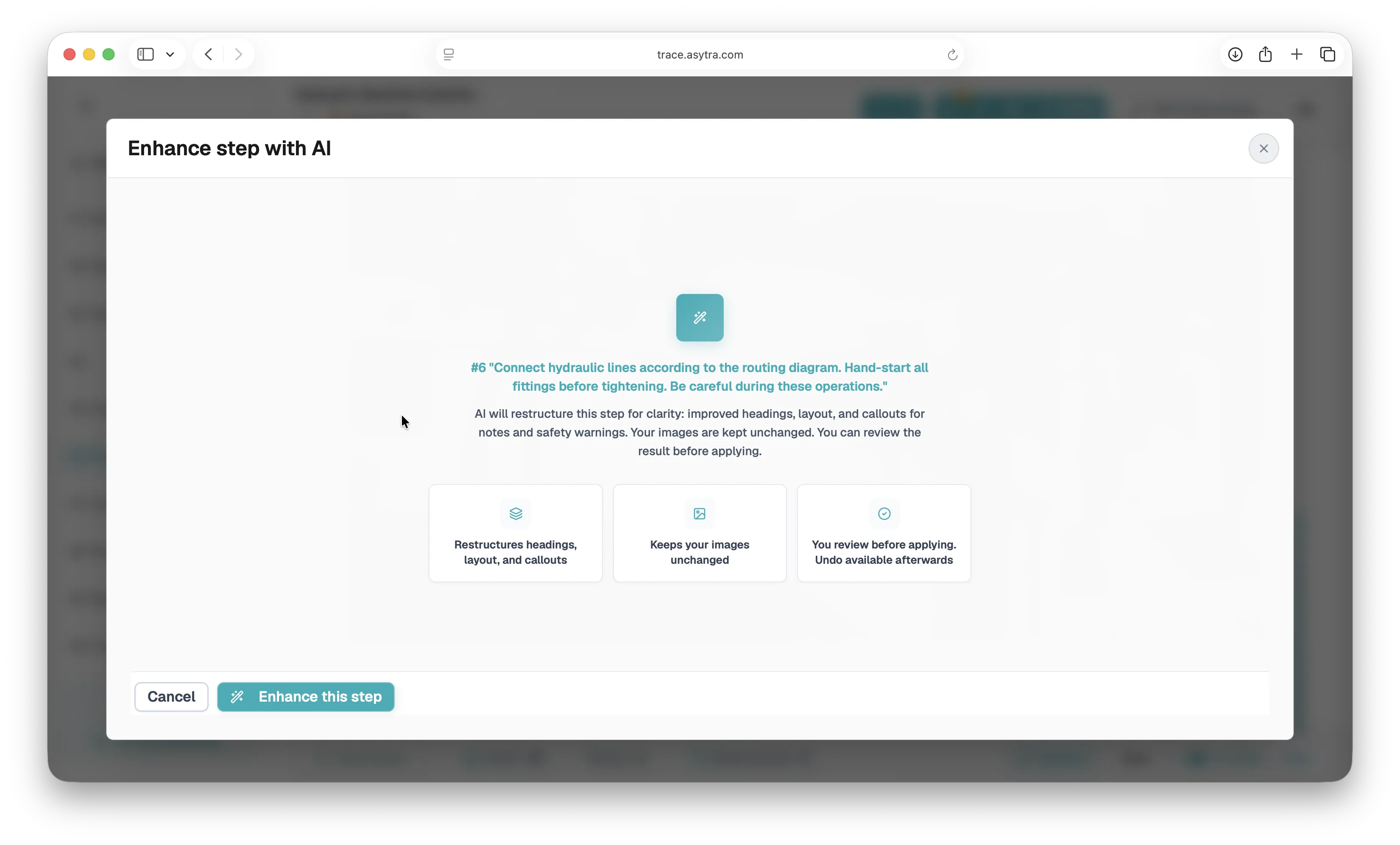
Trace AI speeds up authoring and reporting while keeping engineers and quality teams in control. Every suggestion is reviewable before it reaches the shop floor.
The import from the example above, step by step in the app: upload a Word manual, watch the draft build, then review it before you publish.
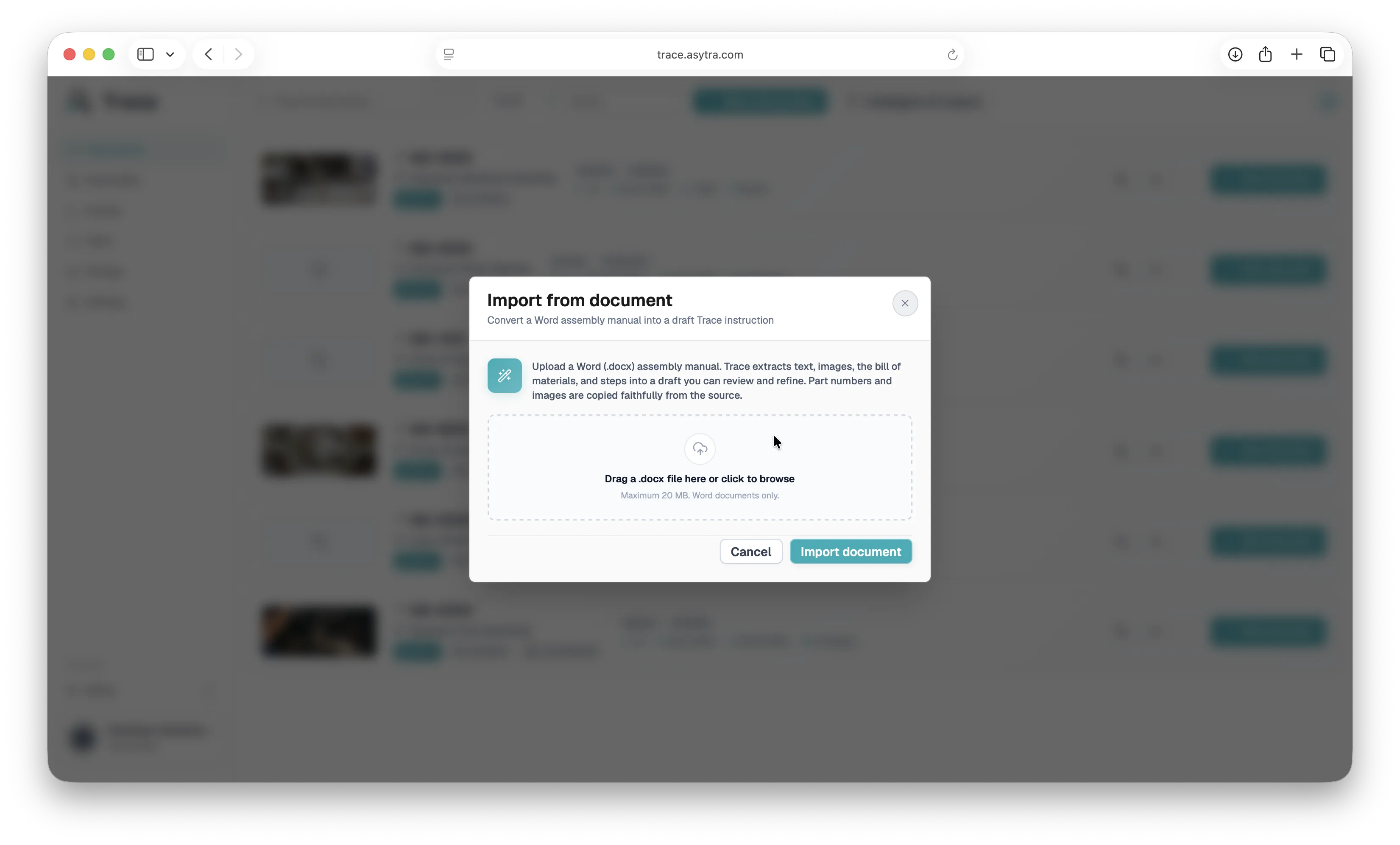
Authors start with rough notes and photos. AI proposes structured layout, callouts, part links, and measurement suggestions. You pick what to apply.
After a production run, managers get a readable narrative of what happened: QC outcomes, rework, open remarks, and blocked instruction steps across the batch.
AI features use company credit balances. Human review stays required before publish and for safety-critical suggestions.
Control and Visibility
Targets, team access, and company files live in the same workspace as your instructions, so managers see what is happening without walking the floor.
Track steps completed, daily output against your targets, and open problems, with target hit rates for each product.
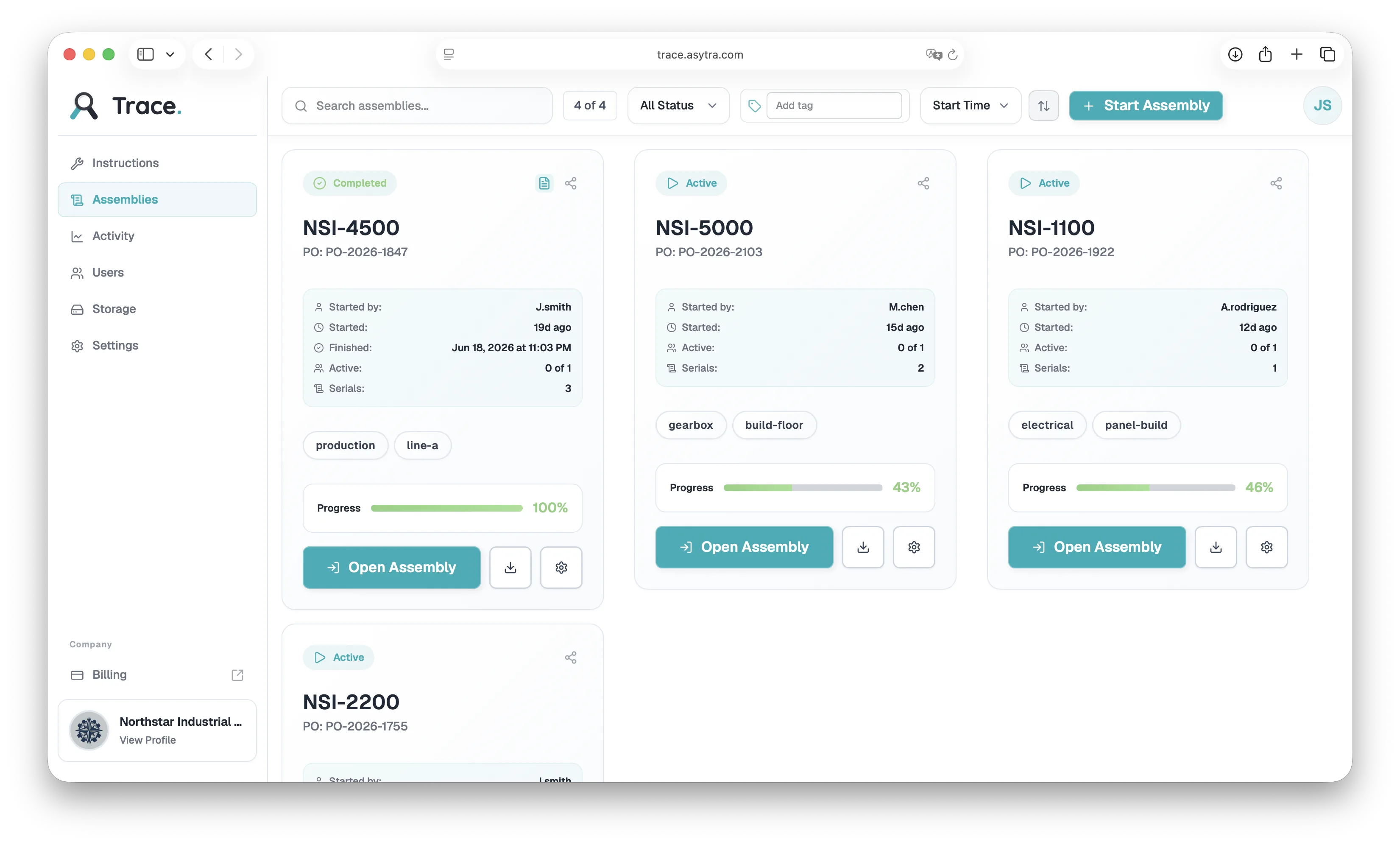
See every production session with its status and progress, then open a session to manage its serial numbers.
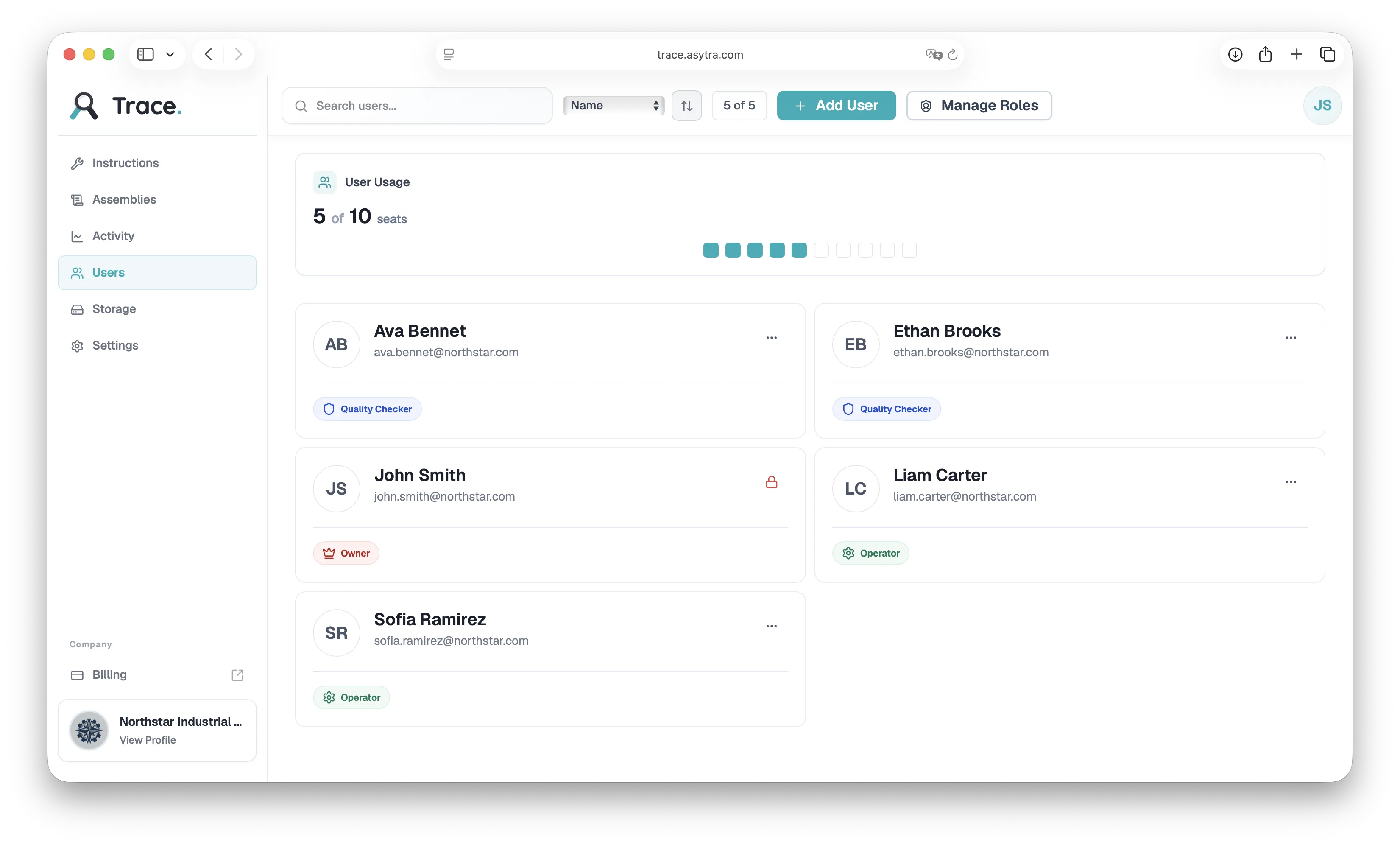
Invite teammates, assign roles, and see seat usage at a glance.
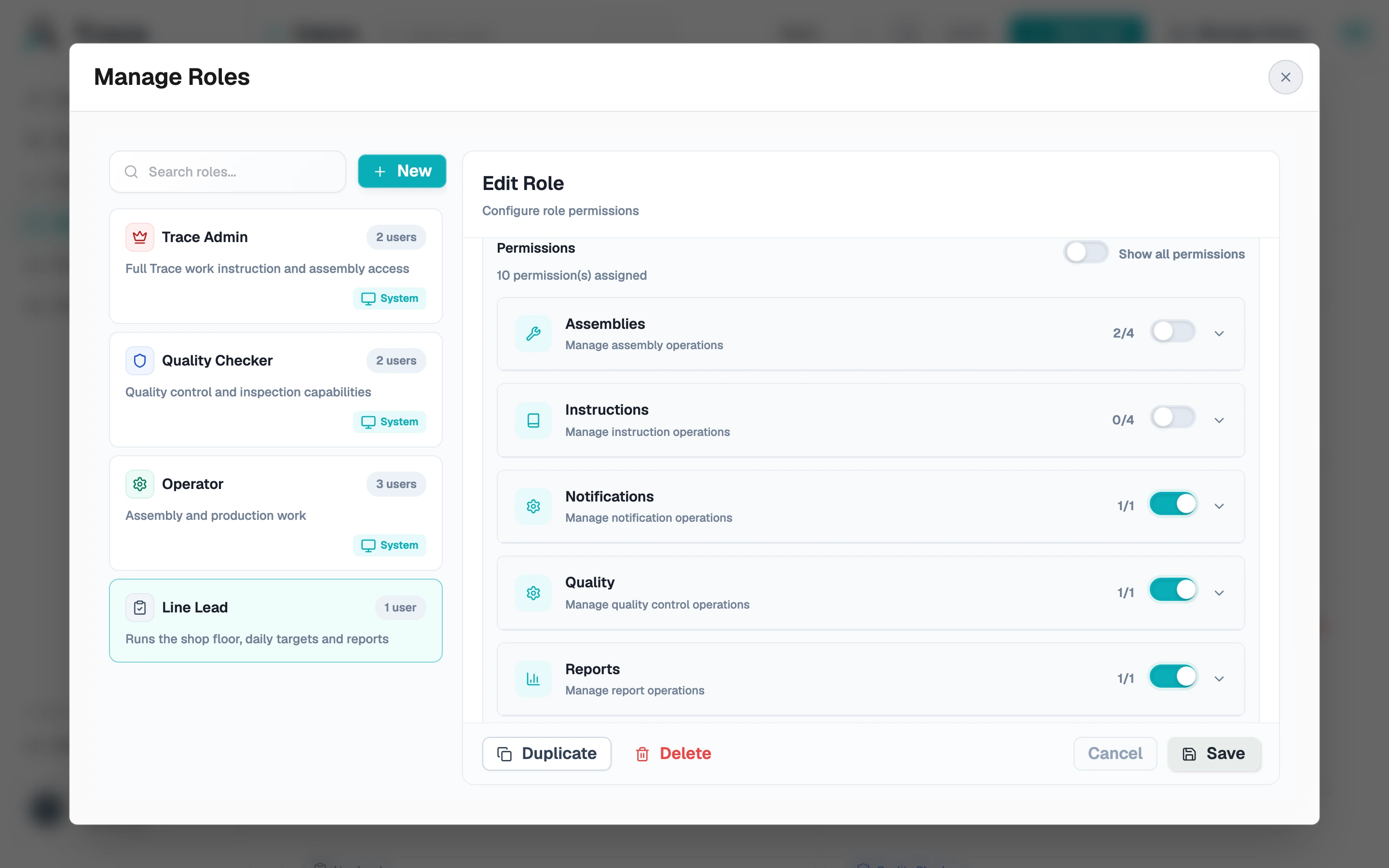
Start from the built-in roles or create your own with exactly the permissions the job needs.
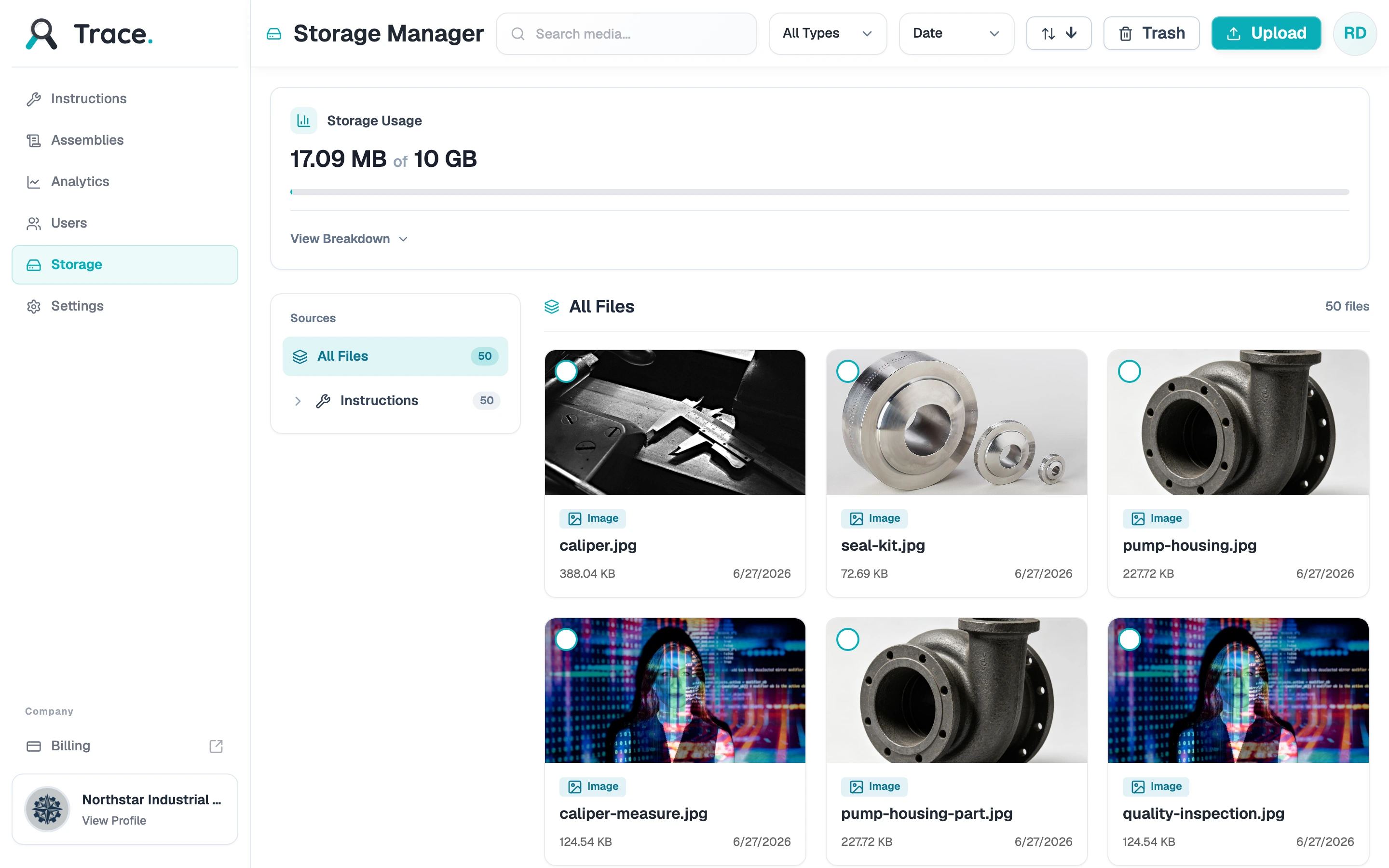
Keep images, videos, and documents in one library and watch usage against your plan.
Beyond the core workflow, Trace handles handoffs and onboarding so new lines get productive fast.
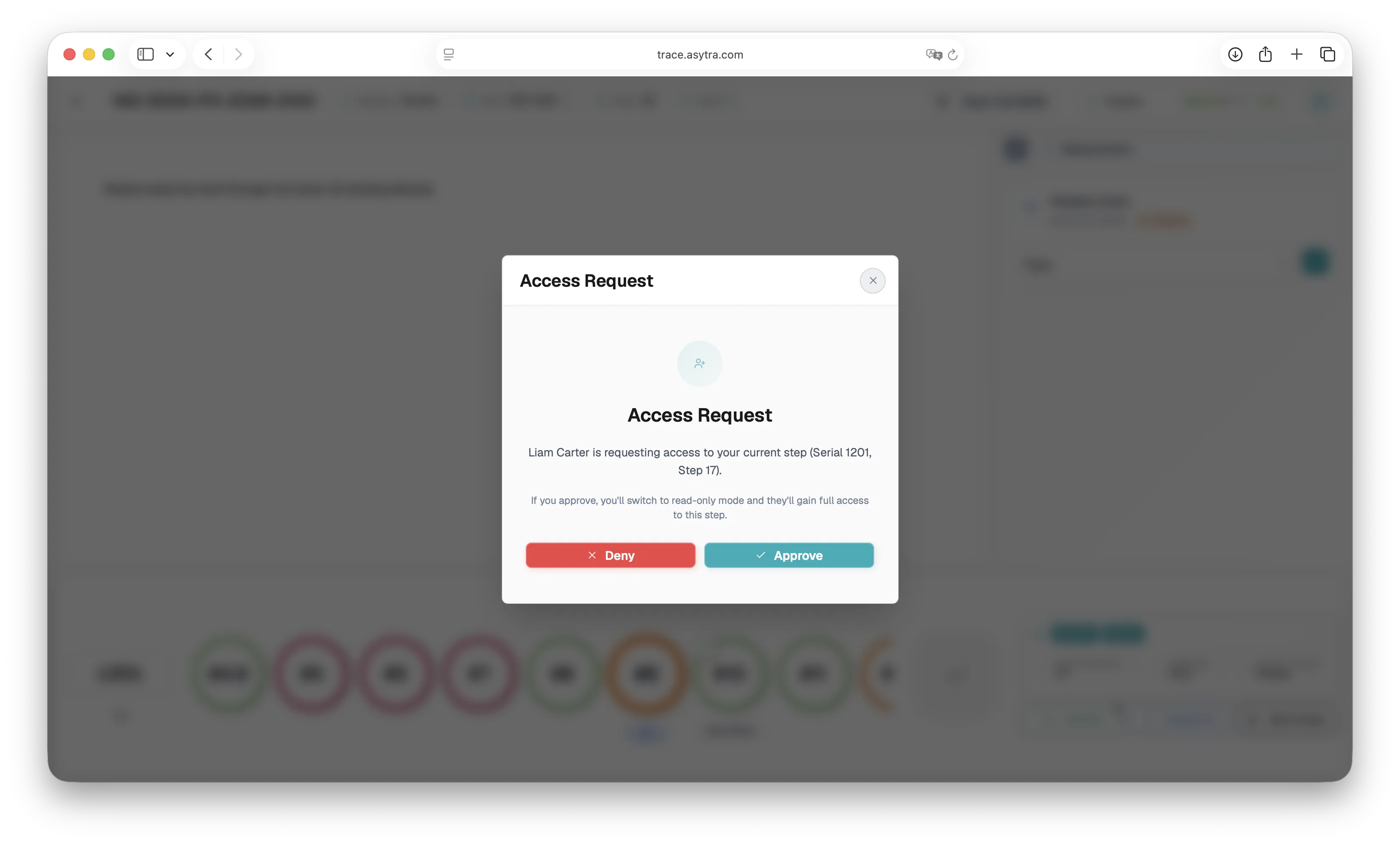
When shifts change or specialists take over, operators request instruction step access instead of sharing passwords or paper notes.
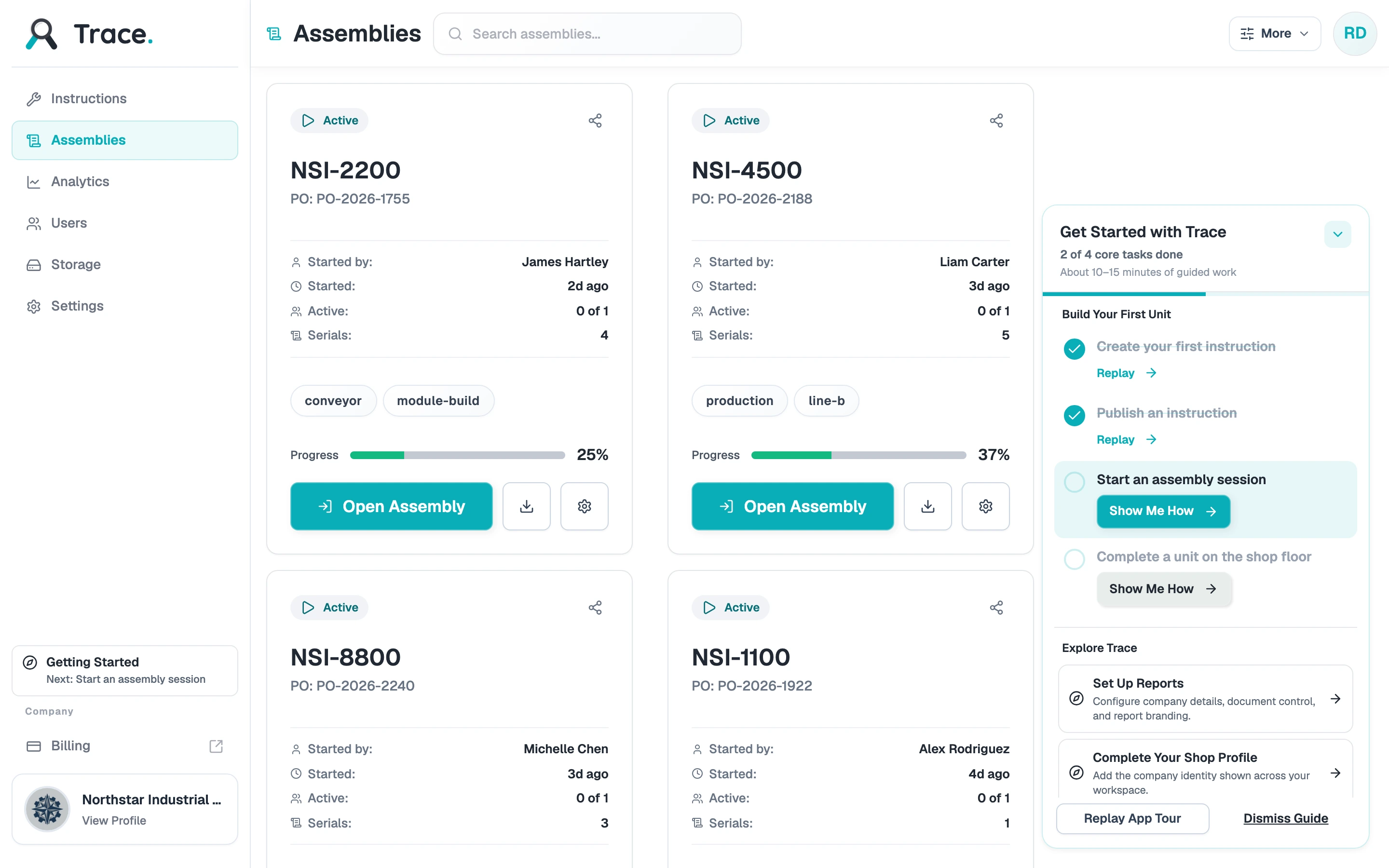
Trace guides new teams through setup with a built-in checklist: create an instruction, publish it, start an assembly, and complete a first unit on the shop floor.
In Production
Trace is not a concept. It runs live on the Davantech production line in Dongguan, China, where operators follow digital work instructions and every unit gets a complete build record.
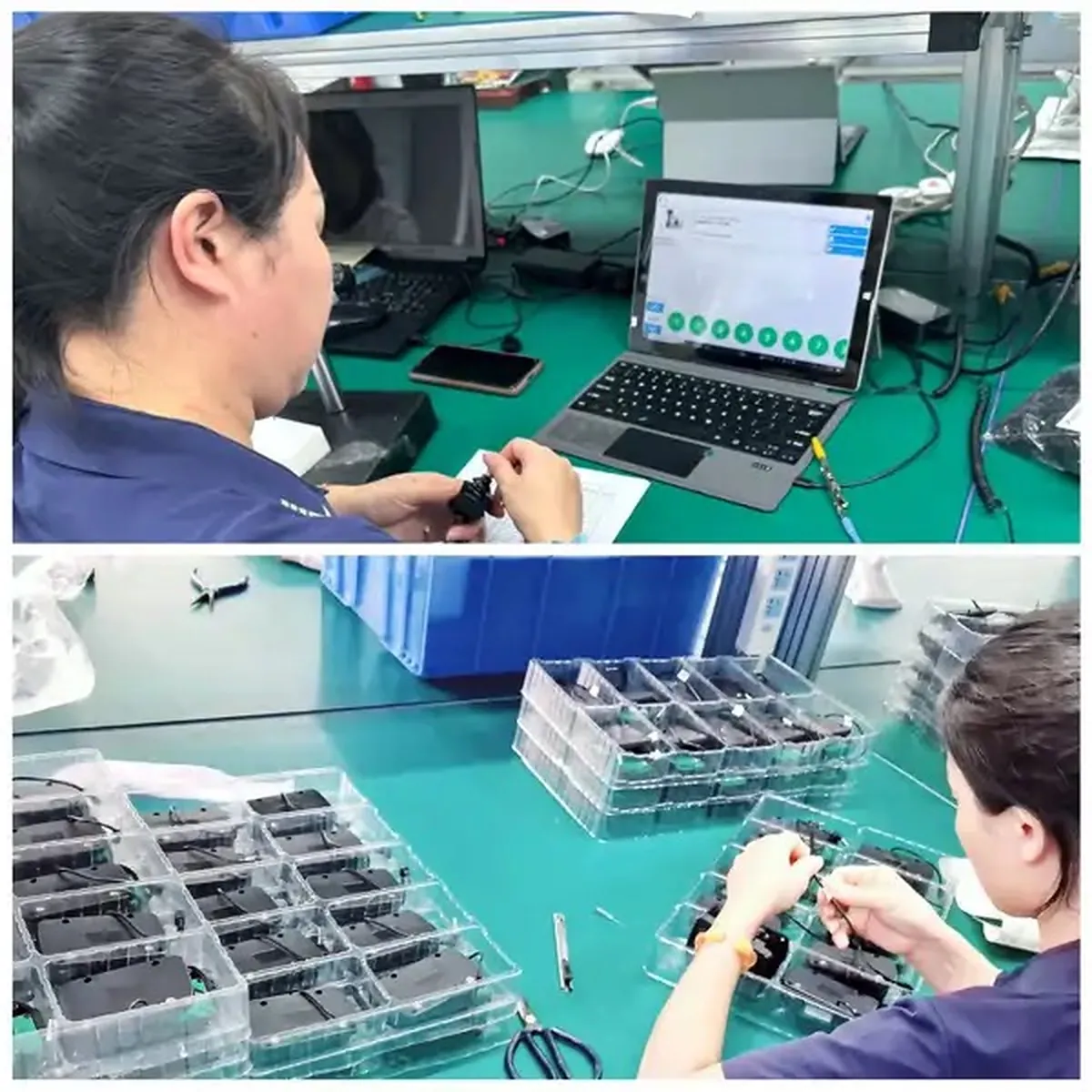
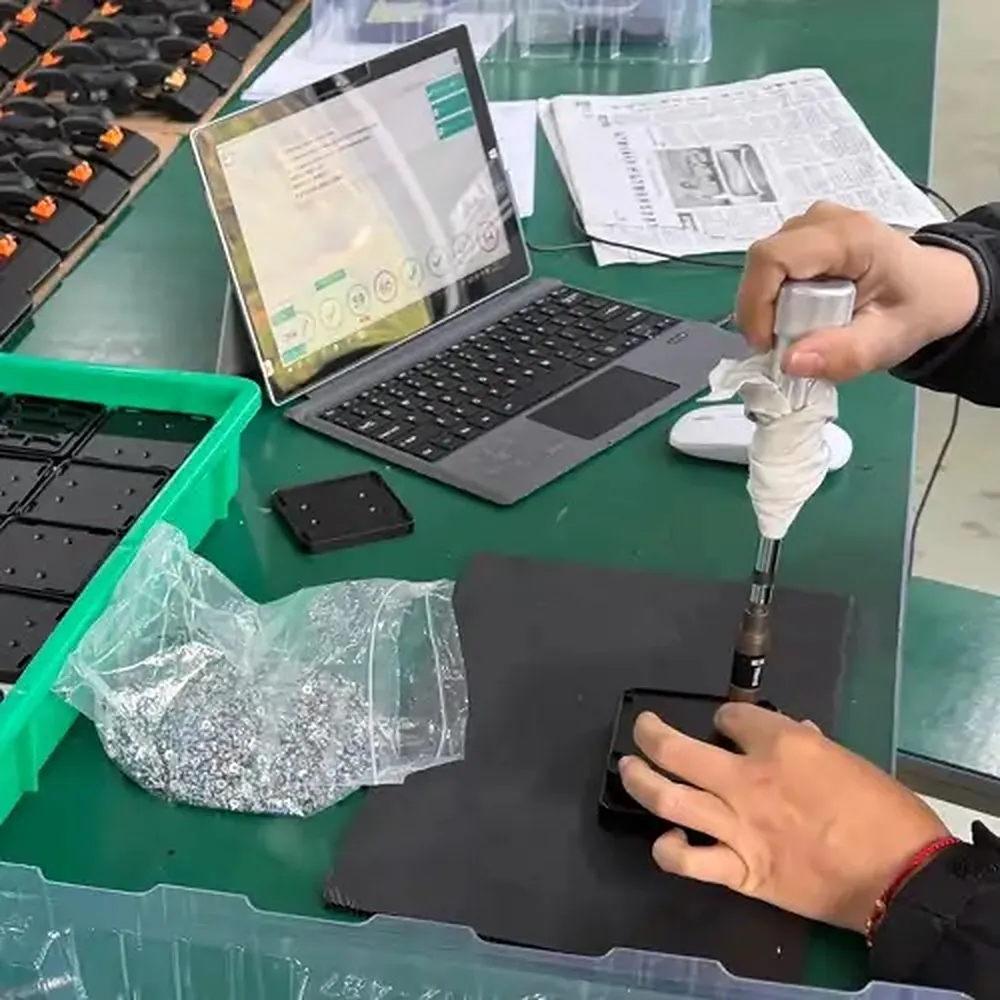
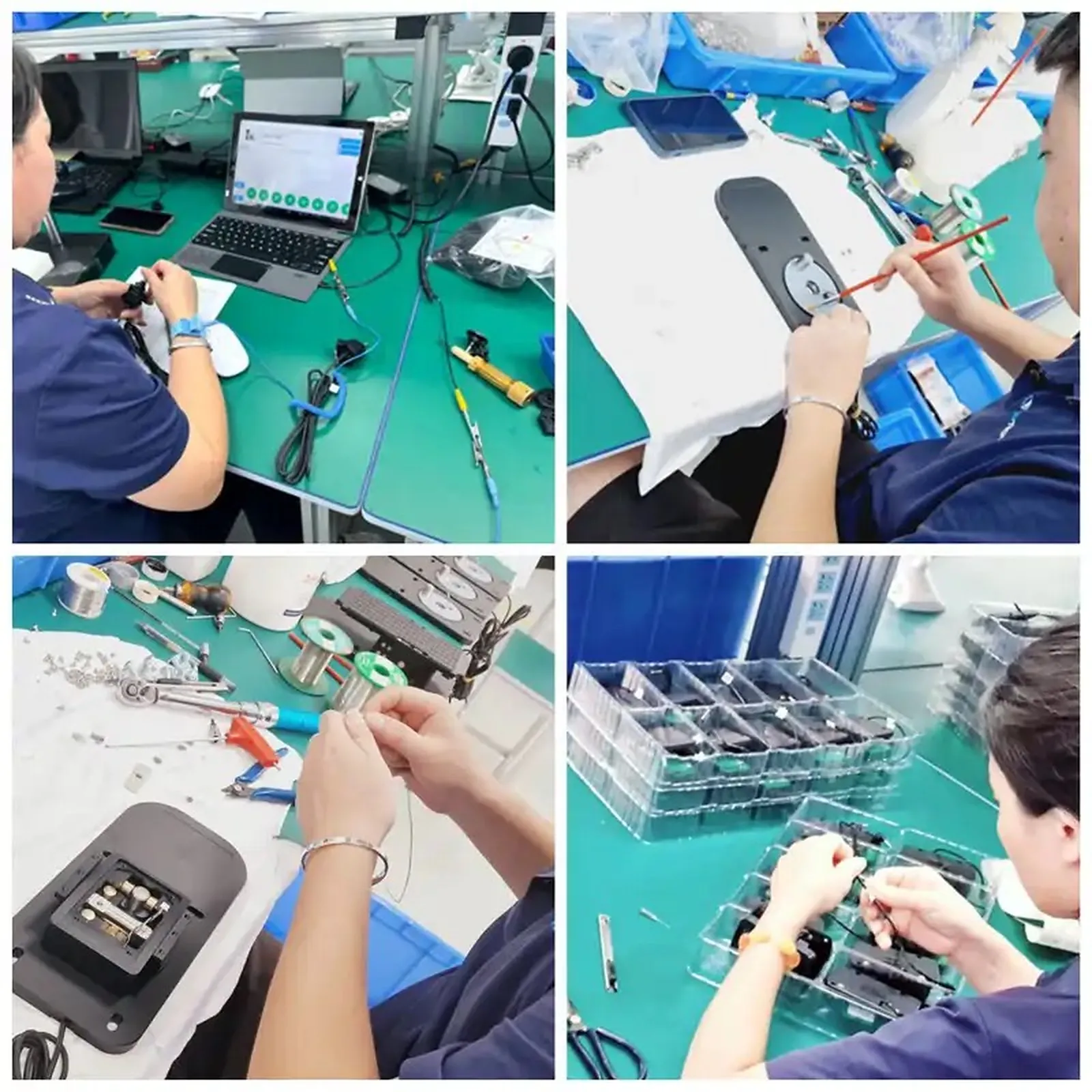
Davantech used to run this line on paper travelers and end-of-shift sign-offs. See what changed: why digital work instructions replace paper on the factory floor.
Trace is available now. Start a 14-day trial, set up your workspace, and publish your first digital work instructions.
See Trace pricing for plan details. Trace Pro includes Measure for every user.