
Mill Settings
Set feeds, rapids, tool change, clamping, probing, clearance and rotary axis values for 3-axis and 4-axis mills so cycle time and price match your machine.
On this page
These settings describe how fast a mill cuts and moves, how long it takes to change tools and clamp parts, and how a rotary axis behaves. Quote turns them into cycle minutes and bills those minutes at the machine's Hourly Rate. Open this page when quoted times feel too long or too short compared with what the machine really does.
The sections below appear in the side panel for 3-axis and 4-axis mills. They do not appear on lathes or combo machines (a combo takes its values from the linked machines).
Speeds and Feeds#
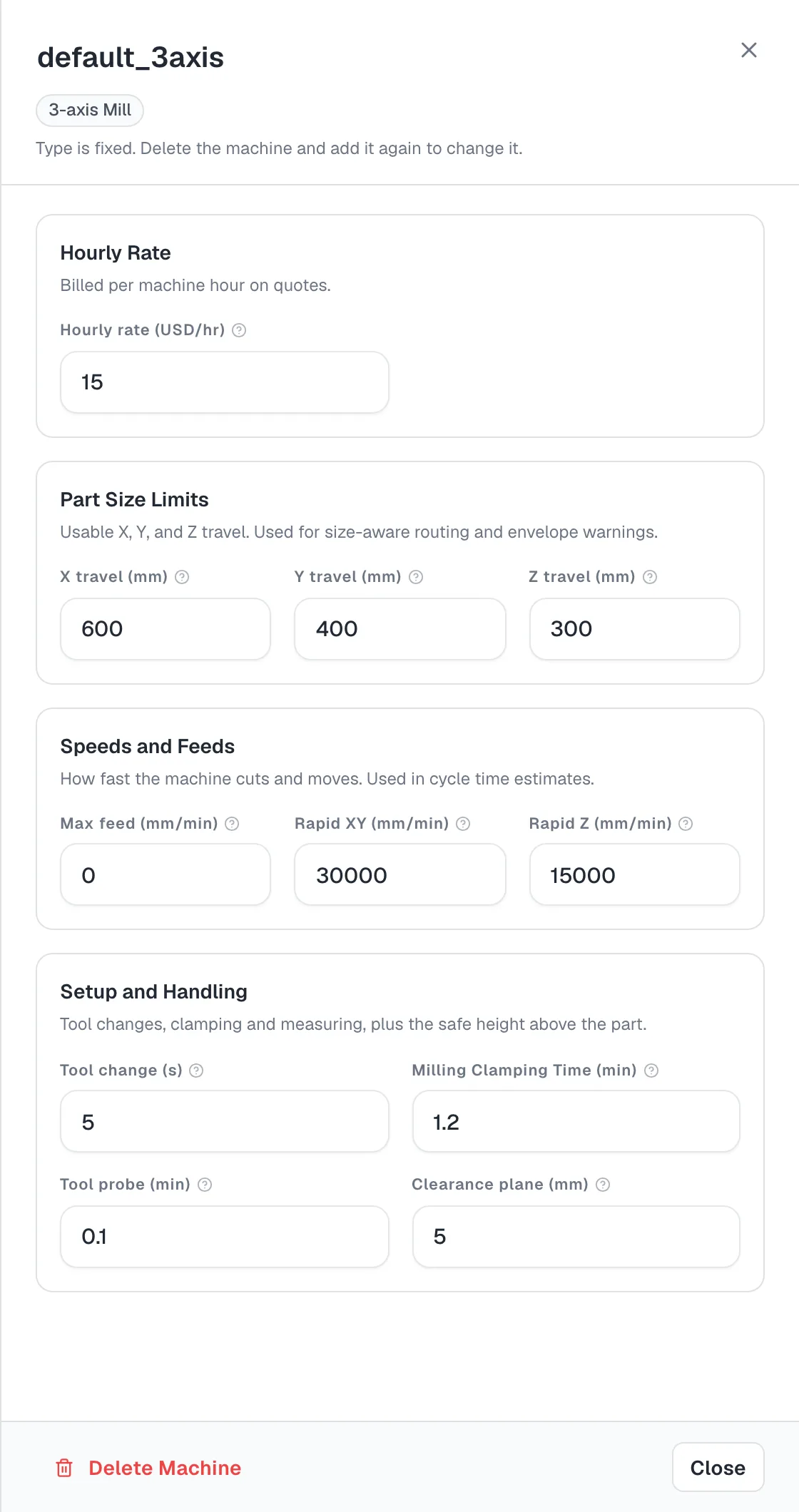
Hint on screen: how fast the machine cuts and moves. Used in cycle time estimates.
Max Feed#
Unit: mm/min. Starting value: blank (no cap). The Add Machine wizard fills in 10000. Where: Machines, side panel, Speeds and Feeds.
Your fastest programmed cutting feed. Quote works out a feed from the tool and the material, then caps it at this value so cycle time reflects what the machine can run. Use 0 or leave it blank for no cap. Tapping is not affected.
Change it when: set it to the highest feed your machine really holds in production. Controller look-ahead, backlash and chatter often keep you below the rapid rate. A typical VMC is 5000 to 15000 mm/min, and small high-speed machines can be higher. A lower cap lengthens cycle time and price on machines you run conservatively.
Watch out: Max Feed is a ceiling, not a feed. It only lowers feeds that the tool and material settings give, and never raises them. Leaving it blank is only right if your tool presets already reflect real feeds.
Rapid XY#
Unit: mm/min. Starting value: 30000. Where: Machines, side panel, Speeds and Feeds.
How fast the table moves in X and Y when the tool is not cutting. Quote uses it to estimate move time between features. Required, and the wizard needs a value above 0.
rapid time = XY distance / Rapid XY + Z distance / Rapid Z
Change it when: use your real rapid traverse, then lower it if you run reduced rapids during prove-out or on heavy fixtures. Seeded examples range from 20000 (heavy duty mill) to 50000 (high-speed mill).
Watch out: never set a rapid to 0 to disable it. If either rapid is 0 or less, Quote counts no rapid time at all, and quotes get too cheap. Rapid time is usually a small share of the cycle, so do not tune it to fix price.
Rapid Z#
Unit: mm/min. Starting value: 15000. Where: Machines, side panel, Speeds and Feeds.
How fast the spindle moves up and down when not cutting. Used for retracts and moves between features. The Z part of the rapid time counts a lift to a safe height, twice for each tool change, and a short hop between operations that share a tool.
Change it when: use your real Z rapid. Seeded examples range from 10000 (heavy duty mill) to 30000 (high-speed mill).
Watch out: the same rule applies as for Rapid XY: 0 does not disable it, it removes rapid time entirely.
Setup and Handling#
Hint on screen: tool changes, clamping and measuring, plus the safe height above the part.
Tool Change#
Unit: seconds. Starting value: 5. The wizard fills in 18. Where: Machines, side panel, Setup and Handling.
How long the mill takes to swap one tool in the spindle (automatic tool changer). Quote adds it each time the plan switches to a different tool. The first tool of each setup does not count as a change.
tool change minutes = number of tool changes x Tool Change / 60
Change it when: use chip-to-chip time, minus any in-cut time you already count. Typical values are 3 to 8 seconds for a modern tool changer and 8 to 20 seconds for older or arm-less machines.
Watch out: this scales with the number of different tools in the plan, so a high value hits complex parts hardest. Set it high only if the machine is truly slow.
Milling Clamping Time#
Unit: minutes. Starting value: 1.2. The wizard fills in 3.0. Where: Machines, side panel, Setup and Handling.
Minutes to clamp or re-orient the part for each milling setup. Quote adds it for every setup, including the first, and bills it at the machine hourly rate.
clamping minutes = number of setups x Milling Clamping Time
On a 4-axis mill, setups around the rotary axis merge into one clamping plus indexes, so the number of setups drops (see Rotary Index). On a combo machine's milling phase this value is replaced by the combo transition time (see Combo Machines).
Change it when: time one part change on your table: load, indicate and start. A typical vise change is 1 to 3 minutes. This is machine time, so it is billed at the machine rate.
Watch out: if you also charge a flat startup fee on the Pricing page, do not load large numbers here, or one-off jobs are billed for setup twice. See Setup and Minimum.
Tool Probe#
Unit: minutes. Starting value: 0.1. Where: Machines, side panel, Setup and Handling.
Extra time to measure or touch off the new tool after each swap. It is added once per tool change. 0.1 minutes is 6 seconds.
probe minutes = number of tool changes x Tool Probe
Change it when: set it to 0 if you do not probe every tool change, or if the probing time is already inside Tool Change.
Clearance Plane#
Unit: mm. Starting value: 5. Where: Machines, side panel, Setup and Handling.
How far the tool lifts above the part between moves. A higher value adds retract and plunge time. It feeds into the Z rapid distance.
Change it when: use your CAM clearance or retract height. 3 to 10 mm is typical. It has a small effect on price.
Rotary Axis#
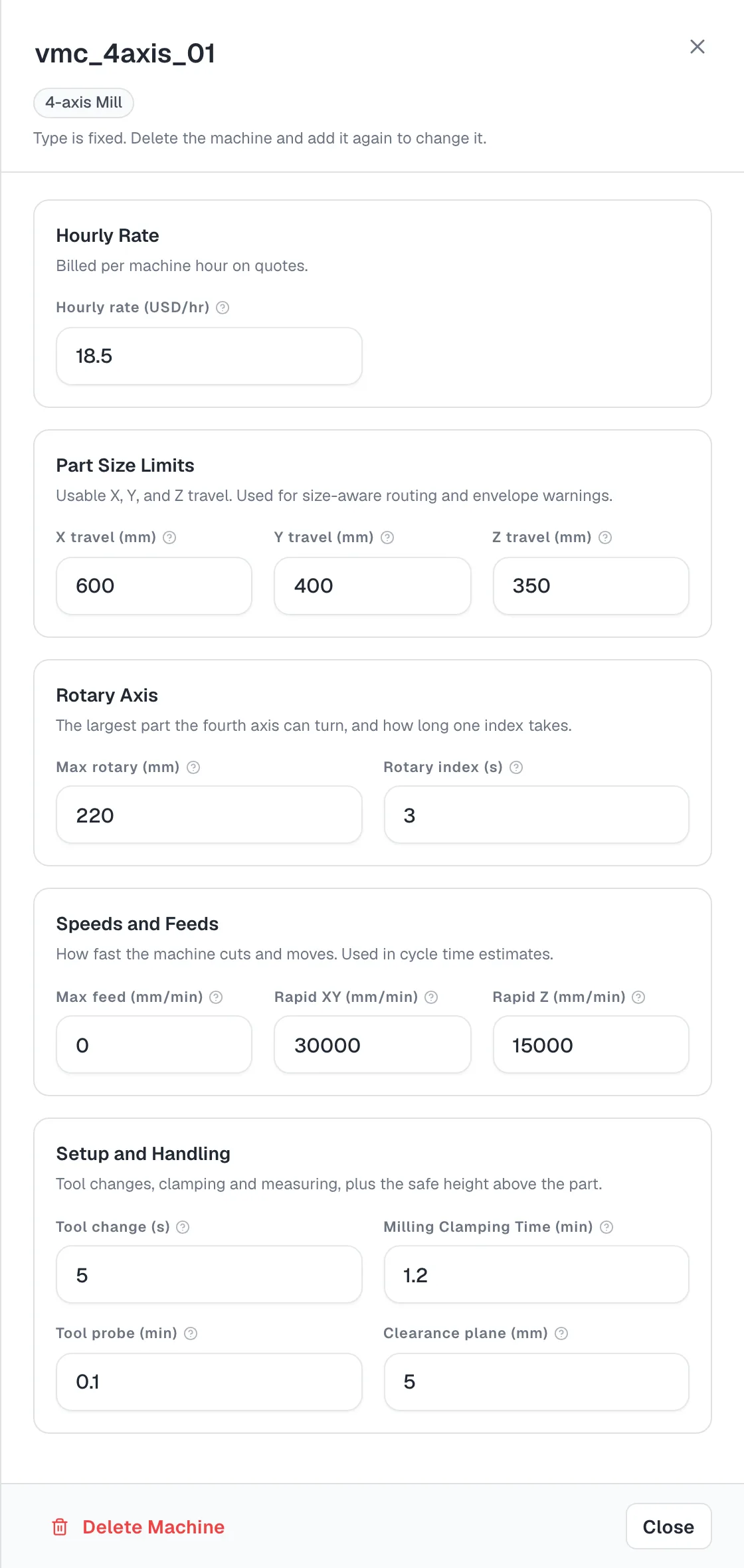
Hint on screen: the largest part the fourth axis can turn, and how long one index takes. This section appears only on 4-axis mills (and on legacy 5-axis rows).
Max Rotary#
Unit: mm. Starting value: 220 (4-axis), 400 (5-axis). Where: Machines, side panel, Rotary Axis.
The largest part diameter that fits on your rotary table. Quote estimates the swept diameter of the part, taking the larger of its middle and smallest dimension. If that is more than Max Rotary, the machine does not fit the part, and Quote steers it away from 4-axis and Lathe + 4-axis Mill routes.
Change it when: set it to the biggest diameter you can swing over the rotary table or trunnion, including the fixture.
Watch out: the field is optional, but a blank means no rotary limit, so any part size is accepted.
Rotary Index#
Unit: seconds. Starting value: 3.0. The wizard fills in 1.5. Where: Machines, side panel, Rotary Axis.
How long it takes to rotate the part to the next angle on a 4-axis mill. Added once for each index after the first angle, separate from tool changes.
A clamping that holds N angles has N - 1 indexes, so:
index minutes = (N - 1) x Rotary Index / 60, added to the clamping minutes
Change it when: use the positioning move plus clamp or unclamp. Typically 2 to 10 seconds with a hydraulic or pneumatic brake.
Watch out: a blank value is treated as 3 seconds. An explicit 0 is honored and means indexing is free. Rotary index time applies to 4-axis mills only.
Related Pages#
Last updated