
Why instant quoting matters
The CNC machining industry is moving toward online quoting. Companies like Xometry, Hubs, and Protolabs have trained buyers to expect instant pricing. When a design engineer needs 50 aluminium housings machined, they upload the STEP file, see a price, and order. If your website requires them to send an email and wait for a manual quote, many will not bother.
This does not mean you need to become Xometry. What it means is that offering instant pricing on your own website, under your own brand, with your own rates, gives you a competitive advantage over the shops that still rely on email-based quoting.
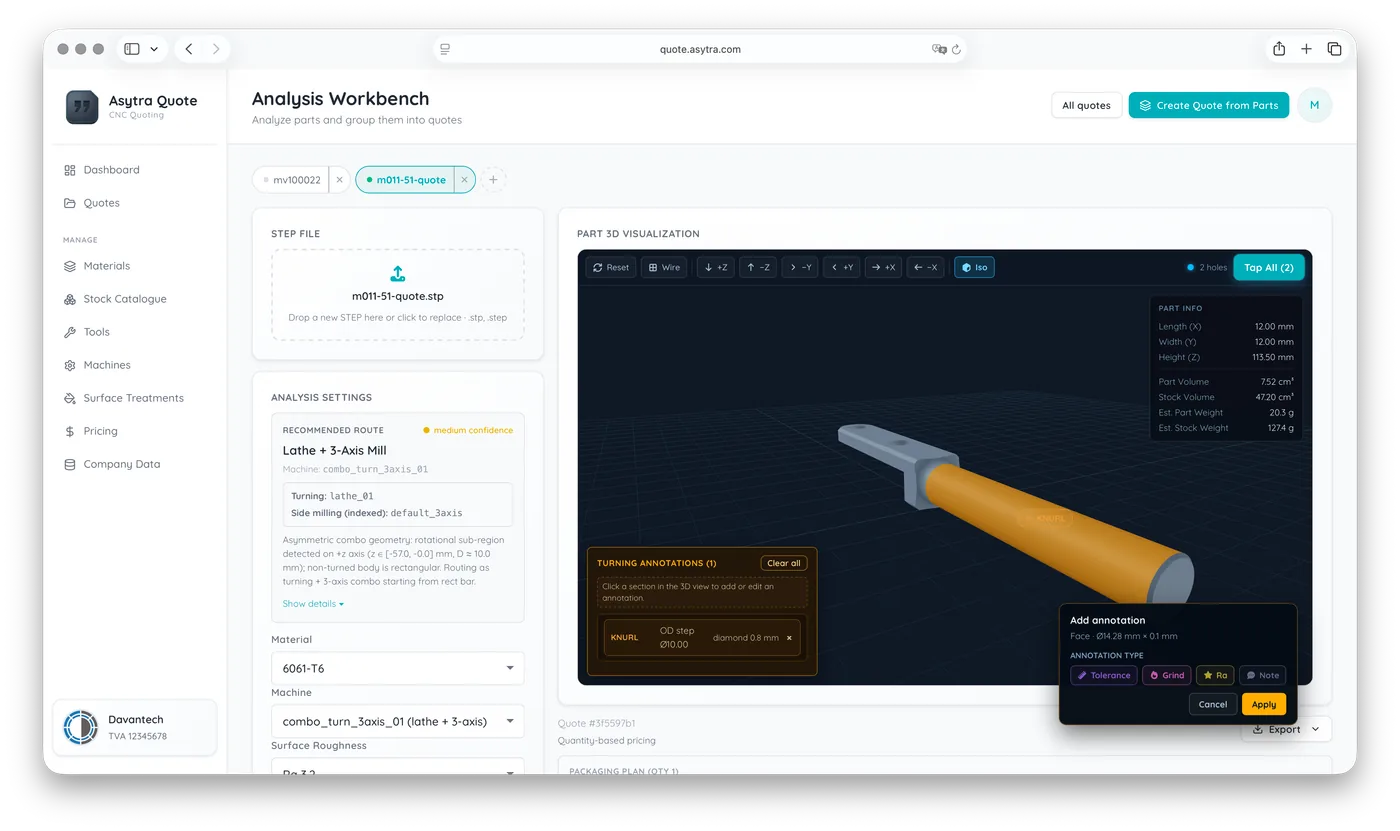
How an embedded quoting widget works
An embedded quoting widget is a module that you add to your website. It appears as a section on your page where visitors can upload a 3D file. The widget analyses the part geometry, recognises machinable features, estimates machining time and cost based on your configured rates, and displays a price. The visitor sees your branding, your domain, your pricing.
Behind the scenes, the calculations run on the quoting provider's servers. You do not need to build or maintain the geometry analysis engine. You configure your rates, materials, margins, and available processes. The widget handles the rest.
The typical flow for a visitor:
- They land on your website and see the quoting tool
- They upload a STEP file
- They select material, quantity, and finish
- They see a price instantly
- They can submit the quote request with their contact details
On your side, you receive the quote request with the 3D file, the selected parameters, and the customer's contact information. You review the quote, confirm or adjust, and proceed.
What you need to set it up
Setting up an embedded quoting widget typically involves three things:
- A script tag on your website. The widget provider gives you a snippet of code that you paste into your web page. This loads the quoting interface on your site. No coding knowledge required beyond basic HTML.
- Shop configuration. You define your machines (3-axis, 4-axis, lathes, mill-turn), tool libraries, material stock with your supplier prices, and packaging options. You set hourly rates, setup costs, margins, and minimum order values. The widget calculates prices based on your actual shop capabilities.
- Branding. The widget appears under your company name and visual identity. Your customers interact with your brand, not the technology provider's.
What it does not replace
An instant quoting widget works well for standard CNC milling and turning parts with common materials and tolerances. It covers the majority of RFQs that come through your website: simple to medium-complexity parts where the pricing is predictable.
Complex parts with tight tolerances, unusual materials, multi-axis operations, or secondary processes (anodizing, heat treatment, assembly) still need human review. The widget can handle these by flagging them for manual quoting instead of showing an instant price. The customer still gets a fast response; you just review it before it goes out.
The business case
Consider the economics. A traditional quote request arrives by email. Your sales engineer opens the STEP file, studies the geometry, estimates the cycle time, calculates the material cost, adds margins, formats the quotation, and sends it back. This takes 30 to 90 minutes per quote, depending on complexity. And many of these quotes never convert to orders.
An instant quoting system handles the straightforward quotes automatically. Your sales team only reviews the complex ones and the ones that convert to orders. The volume of quotes you can process goes up while the time spent per quote goes down.
More importantly, you capture leads that you would otherwise lose. The engineer who needs a quick price at 10 PM does not send an email. But they will use an instant quoting tool if one is available on your website.
Asytra Quote Widget
Asytra Quote is built for this use case. The Quote Widget is an embeddable module that you add to your website with a script tag. Your customers upload STEP files and get instant pricing based on your configured machines, tools, materials, and margins. The system also runs DFM checks, flagging design issues before you even look at the part. Leads and quote history flow back to your dashboard. Your branding, your rules, your prices.
Try the free STEP, IGES, and BREP viewer, learn more about Asytra Quote, or start a Quote trial.
Related articles
- How to View a STEP File Online for Free
- STEP vs IGES vs BREP: Which Format Should You Upload?
- CNC Cost Calculation from a 3D Model
- CNC Milling vs Turning Cost Calculation
Frequently asked questions
A CNC quoting widget is an embeddable module that you add to your machining factory website. Visitors upload a STEP file and receive an instant price based on your configured rates, materials, and margins. The widget runs on the provider servers but displays your branding.
No. A quoting widget is typically added by pasting a single script tag into your web page. The widget loads and displays automatically. You configure your pricing rules, materials, and margins through a dashboard, not through code.
Instant quoting works well for standard CNC milling and turning parts with common materials and tolerances. Complex parts with tight tolerances, unusual materials, or secondary processes like anodizing or heat treatment can be flagged for manual review instead of showing an instant price.