
The components of a CNC quote
Every CNC machining quote is built from the same basic elements: raw material cost, machine time, setup time, tooling, and overhead. The challenge is estimating each one accurately from a 3D model before cutting any metal.
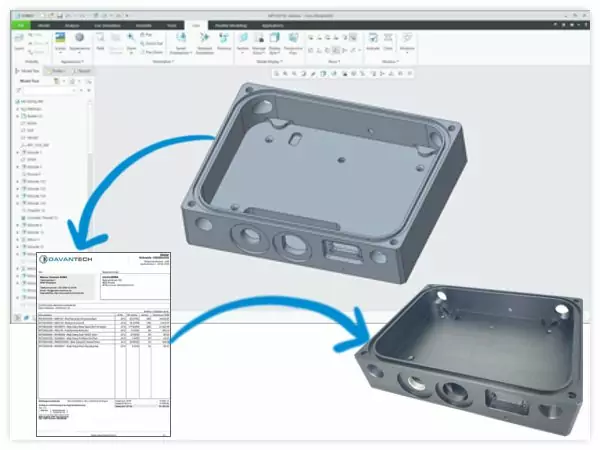
Material cost
Start with the bounding box of the part. The raw stock needs to be large enough to contain the finished geometry plus clamping allowance. For prismatic parts, this is straightforward. For rotational parts on a lathe, it is the bar diameter and length. Material cost is the stock volume multiplied by the material price per unit volume, plus a cutting loss factor.
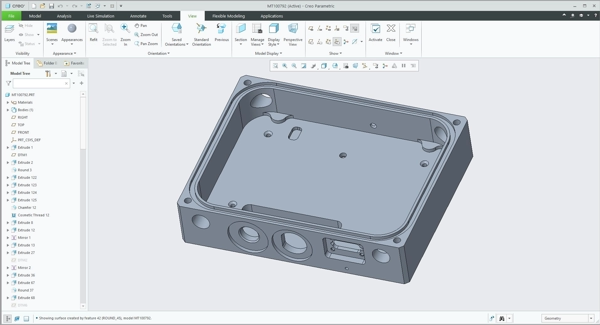
Cycle time estimation
This is where most of the uncertainty lives. Cycle time depends on the volume of material to be removed, the number of features (holes, pockets, profiles, chamfers), the surface finish requirements, and the machining strategy.
A rough estimate starts with the material removal rate: how many cubic centimetres per minute your machine removes for a given material and operation. Divide the total volume to be removed by the removal rate, and you have a baseline. Then add time for tool changes, repositioning, and finishing passes.
The routing also matters: a part that requires 4-axis indexing or mill-turn operations has different time characteristics than a simple 3-axis prismatic part. Feature-based estimation is more accurate: each hole takes a known amount of time based on diameter and depth. Each pocket has a volume and a perimeter. Each profile has a length and depth. Sum the individual feature times and you get closer to the real cycle time.
Setup and tooling
Setup time is the time to fixture the part, load the program, set tool offsets, and run the first piece. For a simple 3-axis part, this might be 30 minutes. For a multi-setup part requiring repositioning, it could be several hours. Setup cost is amortized across the batch: 100 pieces absorb the setup cost much more efficiently than 5 pieces.
Tooling cost includes the end mills, drills, and inserts consumed during the job. For aluminium parts, tool wear is minimal. For stainless steel or titanium, tool cost can be significant.
A worked example
Suppose you are quoting a small aluminium bracket (50 × 30 × 12 mm finished) in a quantity of 25 pieces on a 3-axis mill at $85/hour.
- Material: Stock plate 55 × 35 × 15 mm. Volume ≈ 29 cm³. At $4/kg and 2.7 g/cm³ density, raw material ≈ $0.31 per part.
- Cycle time: Four holes, one pocket, perimeter profile. Feature estimate ≈ 18 minutes per part.
- Machine time cost: 18 min ÷ 60 × $85/hr ≈ $25.50 per part.
- Setup: 45 minutes total, amortized over 25 parts → 1.8 min/part → ≈ $2.55 per part.
- Tooling and overhead: Add 10–15% for consumables and shop overhead → ≈ $3.20 per part.
- Subtotal before margin: ≈ $31.56 per part. With a 20% margin → ≈ $38 per part quoted.
This is simplified, but it shows why CNC cost calculation breaks into explicit line items instead of a single guess. Upload your own STEP file to the free CNC cost calculator to see indicative pricing on a real model.
Checking manufacturability before you quote
Before calculating cost, check whether the part can actually be made as designed. Features that are too deep to reach, walls that are too thin to machine, radii that require tooling you do not have. Catching these issues at the quoting stage saves time for both you and the customer. A good quoting tool flags design problems and suggests improvements as part of the analysis.
Making it consistent
The biggest problem with manual quoting is inconsistency. Two estimators looking at the same part will produce different quotes because they make different assumptions about feeds, speeds, and strategies. A systematic approach, whether a spreadsheet model or a quoting tool, forces explicit assumptions and produces repeatable results.
Asytra Quote automates CNC cost calculation: upload a STEP file, let the system recognise features, check for manufacturability issues, recommend routing across milling, turning, combined, and 4-axis setups, and estimate time and cost. You configure your own machines, tools, material stock, and pricing rules so the results match your shop. Try the free CNC cost calculator, use the STEP viewer, or learn more about Quote.
Related articles
- CNC Milling vs Turning Cost Calculation
- How to View a STEP File Online for Free
- STEP vs IGES vs BREP: Which Format Should You Upload?
- How to Add an Instant CNC Quoting System to Your Website
Frequently asked questions
Add raw material cost, machine cycle time multiplied by your hourly rate, setup time amortized across the batch, tooling wear, and overhead. Feature-based cycle time estimation from a 3D model is more accurate than guessing from experience alone.
A CNC cost calculator estimates machining price from a 3D CAD file by analysing geometry, recognising features, and applying configured shop rates. Asytra's free online calculator uses demo shop rules; production tenants configure their own rates.
The main cost factors are raw material, machine cycle time, setup time, tooling wear, and overhead. Cycle time depends on the volume of material to be removed, the number of features, surface finish requirements, and the machining strategy.
Cycle time can be estimated by analysing the part geometry for machinable features such as holes, pockets, profiles, and chamfers. Each feature type has a known machining time based on its dimensions and the material. Summing the individual feature times gives a total cycle time estimate.
Accuracy depends on how well your shop rates, tooling assumptions, and machining strategies are configured. A systematic quoting tool with explicit rates produces more consistent results than manual estimation, but complex parts may still need estimator review.
Quotes vary because different shops use different machine hourly rates, have different overhead structures, use different machining strategies, and make different assumptions about setup time and tooling. A systematic quoting approach based on feature recognition and configured rates produces more consistent results.