
Why a checklist rather than an argument
There is already a good explanation of why digital work instructions are worth moving to, and this article is not it. That one covers the case. This one covers the mechanics of doing it for one product on a Tuesday afternoon.
The reason this needs to exist is that the migration is where most conversions quietly die. The decision gets made, someone is bought, and then the effort required to restructure a real set of travelers turns out to be larger than the enthusiasm that approved it. The fix is not more enthusiasm. It is a smaller first target.
So the rule for this article is: one product, one line, one serial number. Everything below assumes that scope.
Step 1: Pick the right product to start with
The choice of first product matters more than people expect, and the instinct is usually to start with the easiest one. Resist it.
The best first product is one that is currently stable, has a known build time, and has a customer who cares about the paperwork. Stable because you will be comparing the digital build against a known baseline. Known build time because that is the number you will measure against afterwards. Customer who cares because they are the reason anyone will notice the paperwork improved.
What to avoid starting with: anything with a current quality problem, anything under active process change, and anything that stops when you look at it funny. You cannot tell whether the digital version helped if the baseline is already moving.
Also pick a product you actually build regularly. If you make two a year, you will not get through enough builds in a month to learn anything.
Step 2: Import what you already have
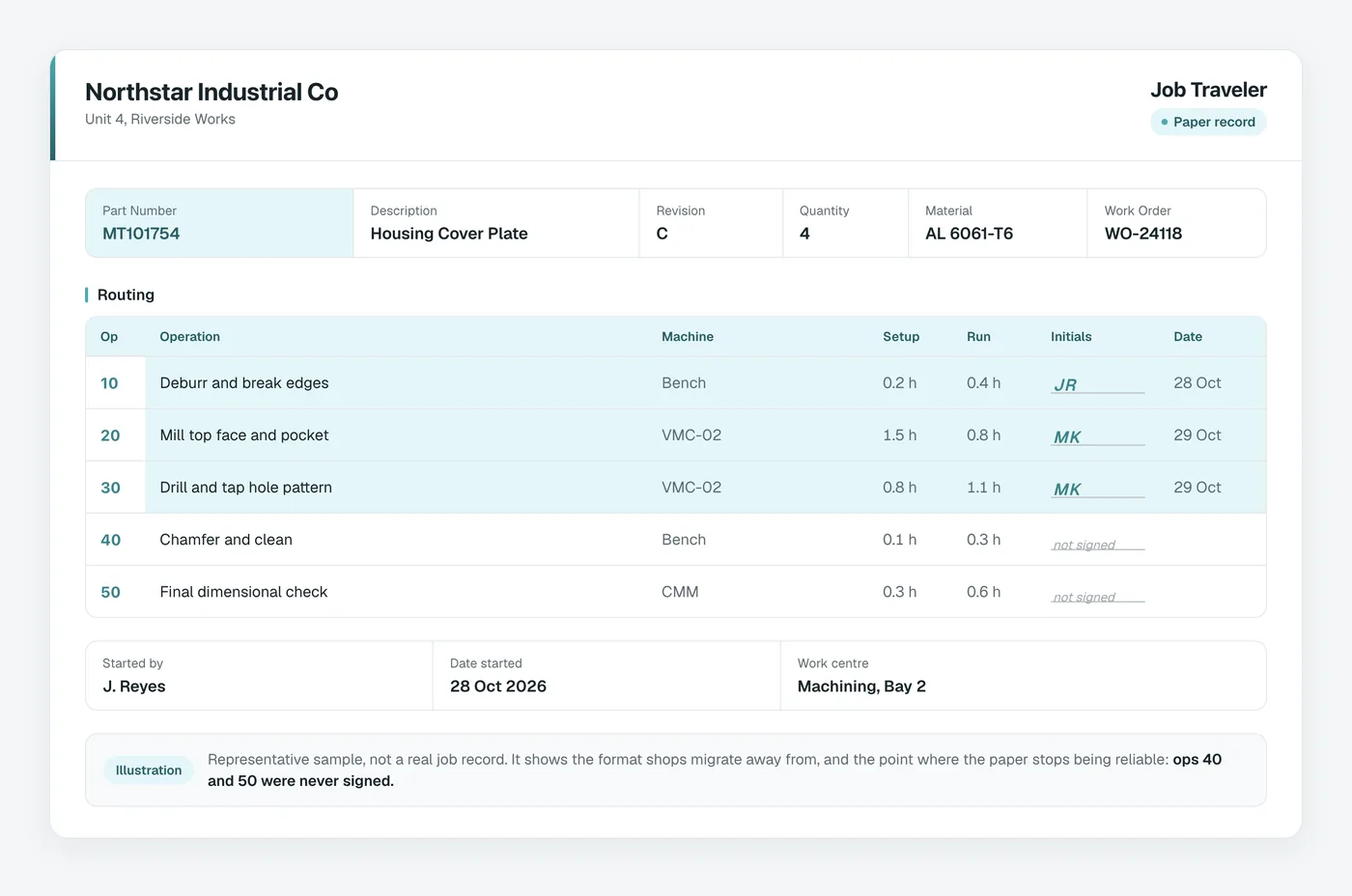
Do not retype. Almost every shop has the source material somewhere: a Word document, a PDF, a spreadsheet, or a board with photographs taped to it.
Asytra Trace imports from a document and pulls out the text and images into a draft instruction. The result is a starting point rather than a finished instruction. Step text arrives as text, photographs arrive as photographs, and the structure arrives as whatever structure the original had, which is to say usually none.
The realistic expectation is that this saves you the typing, not the thinking. A traveler with forty steps might come back as forty steps in the wrong order with the part numbers stripped out. That is a useful afternoon's work saved, and it is not the finished job.
Step 3: Give it structure
This is the step that decides whether the migration works, and it is the one most likely to be skipped.
A paper traveler is a flat list. It works on paper because the person using it has the part in front of them and knows where they are. On a screen, an unstructured list of forty steps is worse than paper, because the screen invites reading and the paper did not.
Three things fix that:
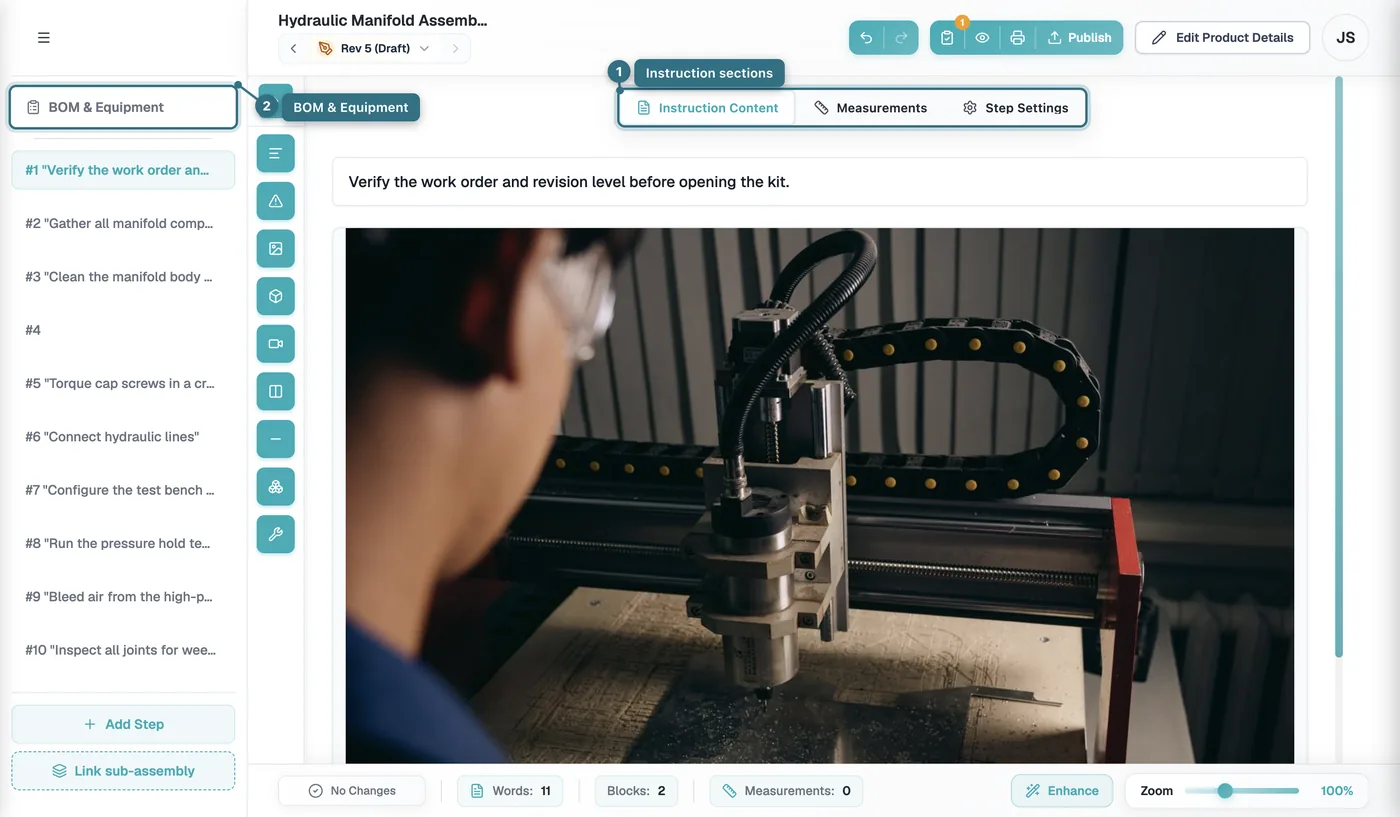
- Break the steps into sections. Group them by operation. Fit, fasten, wire, test. An operator should be able to see where they are without scrolling.
- Build the bill of materials properly. This is usually the largest single improvement, because a paper traveler lists parts and a real BOM carries part numbers, quantities, and what each one is for.
- Set a revision. Then change it when you change it. The most expensive problem in paper documentation is not knowing which version you are holding.
Put the bill of materials next to the steps rather than in a separate binder. On paper the two get separated, and then they disagree.
Step 4: Polish the steps
Now the part where the digital version earns the migration, because it fixes the things paper could not do.
- Add a photograph to any step that is hard to describe. This is the single highest-value change. A photograph of the wiring loom going in beats two paragraphs of prose, and it is the reason paper travelers get read wrong.
- Add quality checkpoints where the build has them in your head but not on the paper. Torque values, a visual check, a measurement. If it is not on the list it did not happen.
- Add measurements with their nominal and tolerance, so the system records the actual value rather than someone remembering to write it down.
- Cut the steps that do not exist. Imported documents carry filler. Delete it while you are in there.
The test for a finished step is simple: could an operator who has never built this product, and is not the person who wrote it, do it correctly from the screen alone? If not, it is not finished.
Step 5: Review and publish
Have someone who did not write the steps follow them on a screen while you watch them. Do not help. Where they hesitate, the instruction is not clear enough, and you have just found every ambiguity in an afternoon rather than discovering them one at a time on the line.
Then publish it. A draft instruction is not a migrated product, it is a migration in progress.
Step 6: Run one real build against a serial number
Keep the paper traveler in use for this one. Run both side by side on a single unit, with the paper available as a fallback. This is the step people want to skip and it is the one that protects you.
What you are looking for is not whether the digital version is better. It is whether the record comes out complete at the end of it. That is the thing paper was never reliably giving you, and it is the thing you are about to find out you have been missing.
Step 7: Measure after 30 days
Write down these four numbers before you start, not after. A number you did not record before the change is not evidence.
- Build time for one unit. Compare like with like, on the same product, with the same staffing.
- Questions raised during assembly. How often someone stops and asks. This should drop, and it is the clearest sign the instructions got clearer.
- Steps skipped. You will find out which ones were routinely being skipped. Usually it is the same two, on every build, for years.
- Build documentation requests. Before, a request for documentation on fifty serial numbers meant a day of compilation. After, it is an export. This is the result that surprises people most.
On completeness of the record, expect a change rather than an improvement in the way you expect. Records get more complete, and in doing so they surface the steps that were never being captured. That feels like a problem and is actually the value.
What to do with the paper
Do not throw it away, and do not file it as current.
Keep a controlled copy, mark it clearly as superseded, and put a date on it. The reason is unromantic: when a question comes up eighteen months later about how something was built, you will want to know what the instruction was at the time. A superseded copy with a date answers that. A memory does not.
The other reason is audit. If your quality system requires a controlled document, the paper needs a retirement date and the digital one needs a revision history. Both, not one.
Then widen it
Repeat the same seven steps for the next product, and you will get faster each time because the structure decisions are already made. The second product should take a fraction of the first.
The point at which most shops stop is when someone realises they now have complete build records as a byproduct, and that changes a customer conversation from "let me go and compile that" to "here it is". If your shop sells into a supply chain that audits suppliers, that is usually the moment the remaining products stop being optional.
Getting started
Asytra Trace is the digital work instruction side of this. Learn more about Asytra Trace, or start with the background in why digital work instructions, what ISO 9001 expects of work instructions, and what assembly traceability gives a customer.
One last piece of advice, and it is the part people resist. Do not migrate everything before you migrate anything. The first product is meant to teach you where your instructions are unclear, and you cannot learn that from a document you have not built with your hands.
Frequently asked questions
Start with one product or one assembly line rather than the whole shop. Import the existing document, restructure it into sections with a bill of materials, then polish the steps with the photos and quality checks that were never on the paper anyway. Publish it, run a single assembly session against a real serial number, and only then widen it.
Yes. Asytra Trace extracts text and images from an uploaded document into a draft instruction that you review and refine, rather than building every step from scratch. The extraction is a starting point. The structure and the judgement still come from you.
No, and you should not try to. Migrate one product while the paper version stays in use for everything else. Run the digital version against a real serial number and compare the two side by side for a week before you switch the product over entirely.
Time to build the finished unit, the number of questions raised during assembly, and the completeness of the record. The last one is usually the surprise: once sign-offs are required rather than optional, you find out which steps were routinely being skipped. Build documentation requests also stop being a reconstruction exercise.