
What customers actually want
When a B2B customer asks for build documentation, they typically want proof that their product was assembled correctly. Specifically:
- Which work instruction version was followed for each unit
- Who performed each assembly step
- Timestamps showing when each step was completed
- Measurement data captured during assembly
- Photos from quality checkpoints
- Pass/fail status for each quality gate
This documentation serves two purposes: it gives the customer confidence that their product was built to specification, and it provides a traceable record in case of a warranty claim or field issue.
The problem with manual documentation
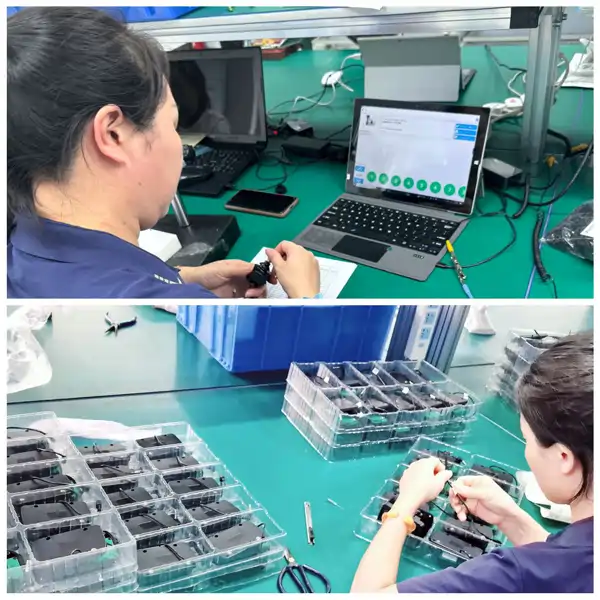
If your assembly process runs on paper, generating this documentation means gathering sign-off sheets, finding measurement logs, locating photos (if they were taken at all), and compiling everything into a report format the customer can use. For 50 serial numbers, this can take a full day of administrative work.
Worse, the data may be incomplete. A missing signature, a measurement that was not recorded, a photo that was never taken. You discover these gaps only when trying to compile the report, long after the assembly is done.
Building documentation into the process
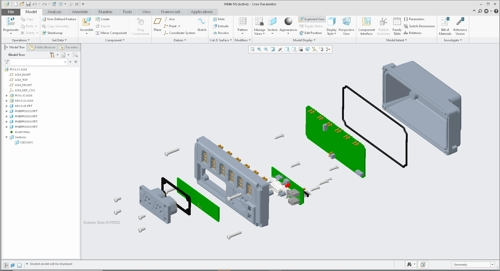
The solution is to capture the documentation as a byproduct of the assembly itself. When operators follow digital work instructions that require measurements, photos, and sign-offs at each step, the build documentation generates itself. There is no separate documentation step because every completed assembly session is already a complete record.
When the customer asks for documentation, you export it. PDF for human-readable reports, Excel for data analysis. Per serial number, per batch, or per date range.
Guest sharing
Some customers want ongoing access to build data, not just one-time reports. Guest sharing lets you give a customer read-only access to specific assembly records without creating a full user account. They see the build history, photos, and measurements for their serial numbers. You control what they can access.
Asytra Trace includes guest sharing and PDF/Excel report export as standard features. Learn more about Trace.
What a build report package looks like
When everything is captured digitally, the standard deliverable for a customer request covers, per serial number:
- Cover data: customer PO, part number and revision, serial number, build date, and final pass status.
- Step record: every instruction step in order, with the operator, timestamp, and any remarks or issues raised during that step.
- Measurement log: each measurement with its nominal, tolerance, actual value, and instrument, plus pass/fail.
- Quality checkpoint evidence: checkpoint photos, supervisor approvals, and the timestamp of each.
- Deviations: any issue raised during the build and how it was dispositioned (reworked, accepted by engineering, scrapped). Customers value this section more than any other; it shows the process works rather than that problems were hidden.
Formatting notes: PDF for the human-readable report, Excel when the customer wants to load the data into their own quality system. Export a batch report when the customer orders serial ranges; individual reports when they ask about specific units.
How to handle documentation requests you are not ready for
If the request arrives and your records are paper, be honest about the timing rather than shipping a rushed, incomplete report:
- Ask the customer exactly which serials and which data points they need. Often they need far less than the full record, and scoping it saves days.
- Offer the data you have in its real state, with gaps marked, rather than back-filling values that were never measured. A fabricated record that surfaces later is a commercial relationship ender; a documented gap is a process improvement item.
- Treat the request as a sales opportunity for process change: this exact pain is what digital work instructions eliminate, and it recurs for every new customer.
Related articles
- What Is Assembly Traceability and Why Your Customers Require It
- ISO 9001 Requirements for Work Instructions
Frequently asked questions
A complete build report typically includes which work instruction version was followed, who performed each step and when, all measurements captured during assembly, photos from quality checkpoints, supervisor approvals, pass or fail status per quality gate, and total build time.
By using digital work instructions that record every step completion, measurement, photo, and sign-off as part of the normal assembly workflow. The build documentation generates itself as a byproduct of the assembly process. Reports can then be exported as PDF or Excel per serial number.
Guest sharing gives a customer read-only access to specific assembly records without creating a full user account. The customer can view build history, photos, and measurements for their serial numbers. You control what they can access.